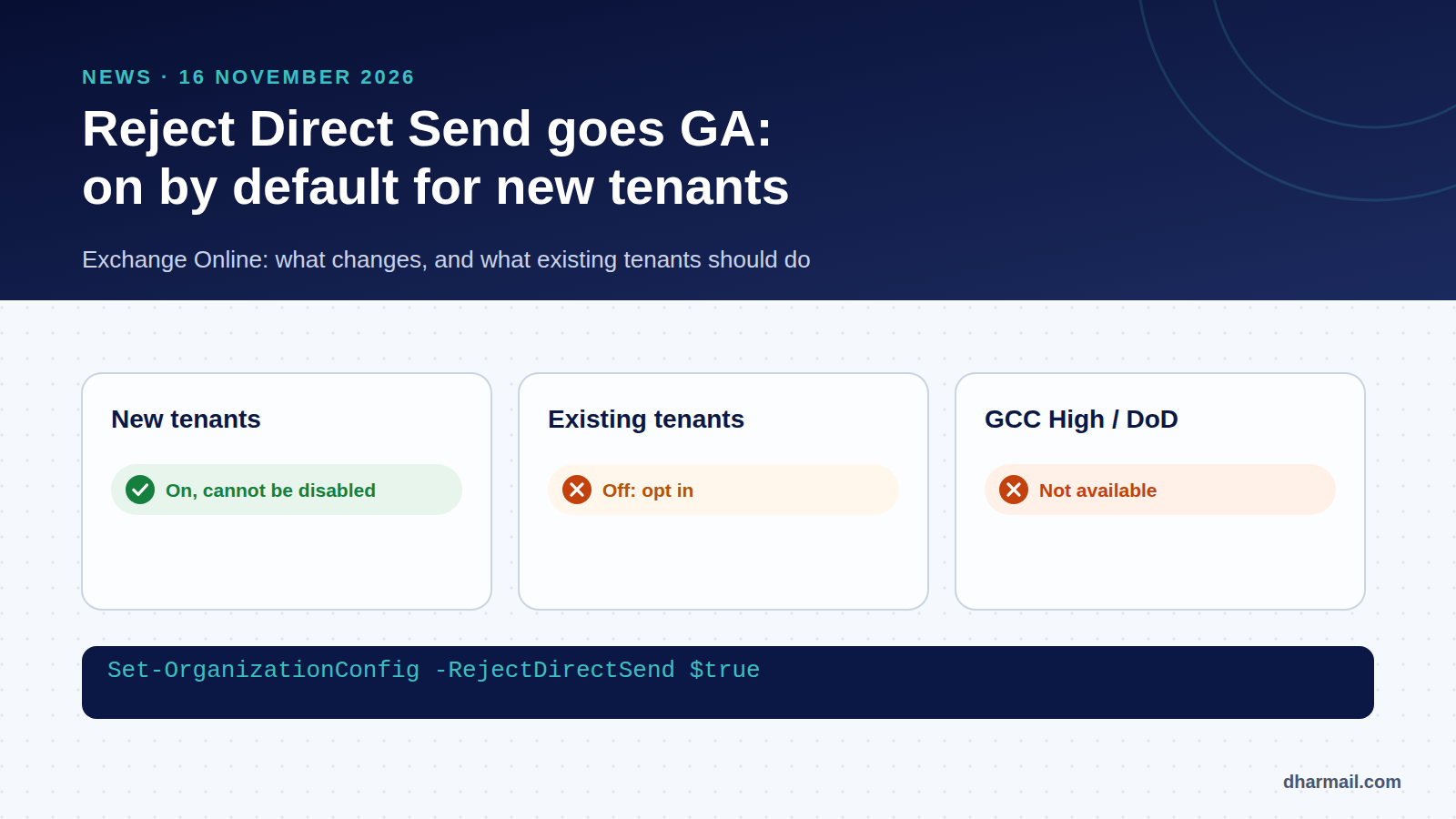
On 16 November 2026, Microsoft’s Exchange team announced that Reject Direct Send is now generally available for worldwide Exchange Online tenants. Above all, Microsoft plans to enable it by default for new tenants, with no option to disable it, a rollout under way at the time of the announcement.
It is the logical next step in a story we have followed since September: the abuse of Direct Send to deliver fake “internal” emails in Microsoft 365. Here is what changes, who is affected and what existing tenants should do.
Key takeaway: for existing tenants, nothing changes automatically: the setting stays off by default. It is up to you to enable it, after attaching your legitimate devices and applications to a connector. More than 70,000 organisations had already done so at the time of the announcement.
Recap: Direct Send and the RejectDirectSend setting
Direct Send lets a device or application send email, without authentication, to mailboxes in your own tenant. Phishing campaigns exploit it to deliver messages that appear to come from your domain. Our September article on Direct Send and internal spoofing details the mechanism.
The RejectDirectSend setting, introduced in preview in April 2025, refuses these anonymous messages when their envelope sender uses one of the tenant’s accepted domains:
550 5.7.68 TenantInboundAttribution; Direct Send not allowed for this organization from unauthorized sourcesWhat the 16 November announcement changes
| Situation | Behaviour |
|---|---|
| New tenants (worldwide) | On by default, cannot be disabled (rollout under way) |
| Existing tenants | Opt-in, off by default |
| GCC High and DoD | Not available yet |
Microsoft recalls several points about how it works:
- the check covers the envelope sender (
MAIL FROM), not the address shown in the From field; - it works regardless of where your MX points, including behind a third-party gateway;
- subdomains are covered if the accepted domain accepts mail for all subdomains;
- an email forwarded by a third party without SRS will be rejected if there is no partner connector. Microsoft notes these messages already fail SPF today.
The Change Optics report, which identifies a tenant’s Direct Send traffic, is also now generally available.
What to do if your tenant already exists
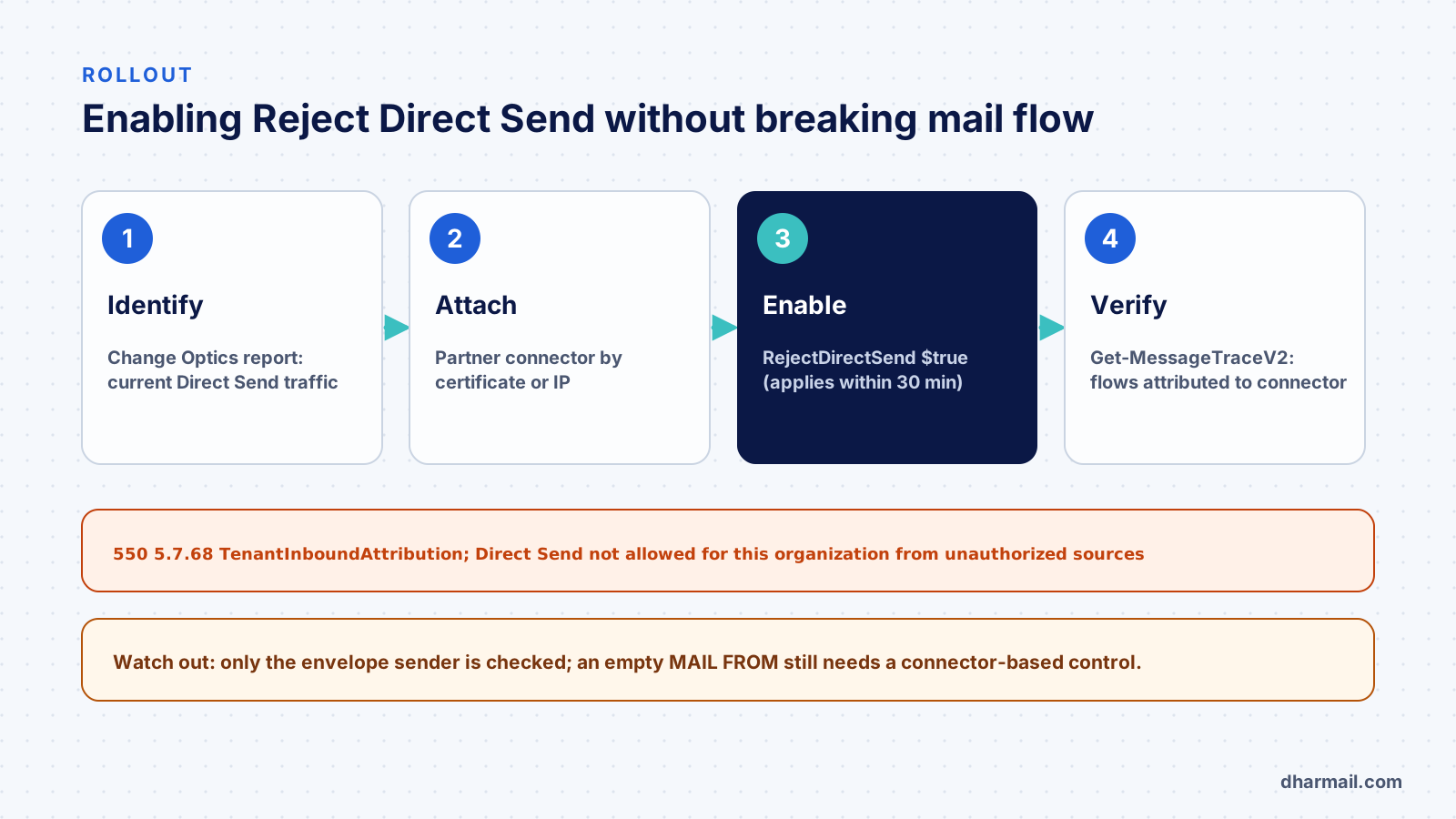
1. Identify Direct Send traffic. In the Exchange admin center, open Reports, Mail flow, Change Optics Report, Direct Send scenario. You will see the printers, scanners and applications still using it.
2. Attach legitimate sources to a connector. For each one, create a partner inbound connector based on a TLS certificate (recommended by Microsoft) or on its IP addresses. Their messages will no longer be anonymous.
3. Enable the setting.
Set-OrganizationConfig -RejectDirectSend $true
Get-OrganizationConfig | Format-List RejectDirectSend
Microsoft cites a 30-minute propagation delay. The “Organization Configuration” role is required.
4. Verify. With Get-MessageTraceV2 then Get-MessageTraceDetailV2, check that your devices’ messages are attributed to the connector.
What the announcement does not solve
Microsoft’s announcement does not mention the bypass technique described in September by ReliaQuest: a message with an empty envelope sender (MAIL FROM:<>) has no domain to compare. Since the setting only checks that domain, this scenario still needs, to our knowledge, other controls: an inbound connector restricted to your sources’ IPs or certificate, removal of filtering exceptions, and a p=reject DMARC policy. Our article on whether DMARC is really enforced recalls that behind a third-party gateway, Microsoft 365 does not always apply your domain’s DMARC policy.
FAQ
Will my existing tenant block Direct Send automatically?
No. For existing tenants, the setting remains opt-in and off by default. You have to enable it yourself.
What happens for a new tenant?
Microsoft plans to enable Reject Direct Send there by default, with no option to disable it. The rollout was under way at the time of the announcement.
Will my printers stop sending?
Yes if they use Direct Send without a connector. Create a certificate- or IP-based partner connector first.
Does Reject Direct Send block all internal spoofing?
No. It only checks the envelope sender’s domain. Empty-envelope messages and spoofing of other domains depend on other protections.
Which code signals a rejection?
550 5.7.68 TenantInboundAttribution; Direct Send not allowed for this organization from unauthorized sources.
Conclusion
Reject Direct Send going GA is a step towards secure-by-default Exchange Online, but it only automatically protects tenants created from now on. For the rest, enabling it is a project to prepare: identify, attach, enable, verify. Dharmail’s domain spoofing protection service (page in French) includes this rollout for Microsoft 365 tenants.