At Gmail, the spam complaint rate is not a cosmetic metric.
It is a concrete trust signal that influences deliverability.
When this rate rises, the impact is not just theoretical: your emails can reach the inbox less often and land in spam more often, and for bulk senders, crossing certain thresholds can be very costly.
Google says you should aim for a complaint rate below 0.1% and avoid ever reaching 0.3% or more. Google support also states that rates of 0.3% or more have an even more negative impact on inbox delivery.
Official sources: Email sender guidelines FAQ and Postmaster Tools dashboards.
What the spam complaint rate really measures
The spam complaint rate counts messages that users mark as spam after receiving them.
This matters: it is not just an automated content analysis or a technical score. It is a user signal.
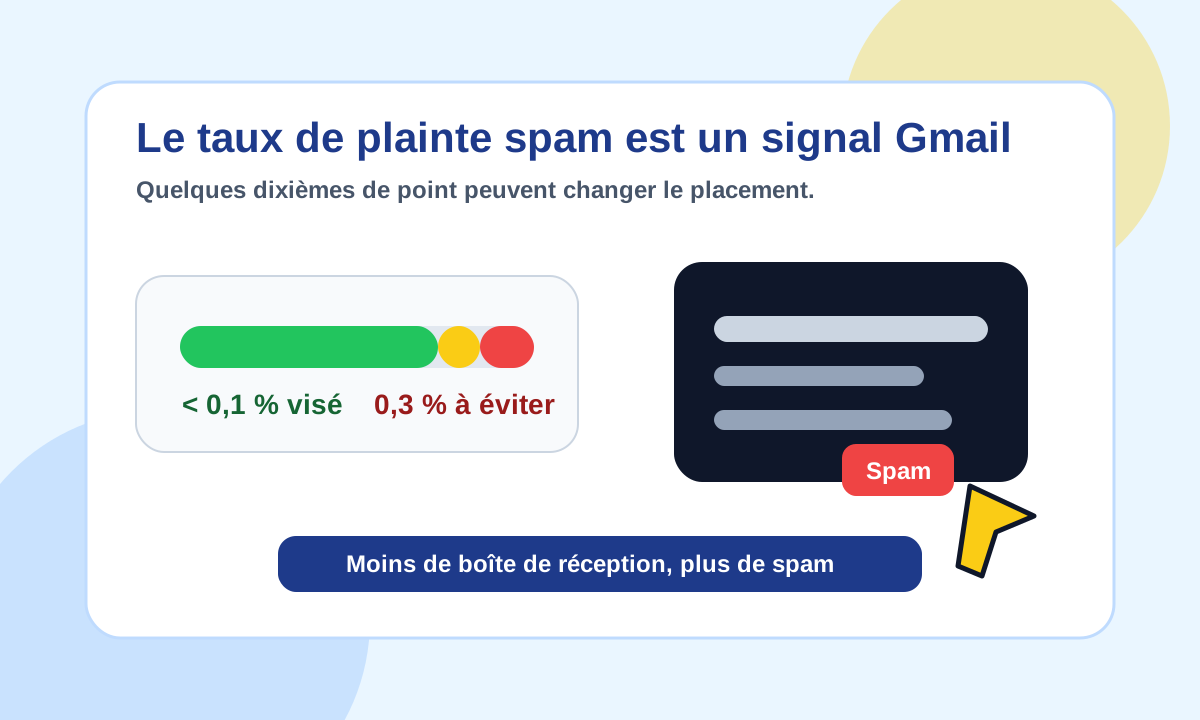
In other words, Gmail watches a very simple reaction: do recipients consider your messages unwanted?
This signal is valuable to mailbox providers because it reflects how users really perceive your mail.
An email can be technically authenticated, correctly signed and standards-compliant, and still be badly received by its audience.
SPF, DKIM and DMARC are not enough
A correct SPF, DKIM and DMARC setup is essential.
It proves that your emails are authorised, signed and aligned with your domain.
But it does not guarantee that recipients want your messages.
That is where many senders go wrong: they think a clean DNS configuration is enough to solve deliverability.
In reality, authentication answers a technical question:
Is this email legitimate for this domain?
The spam complaint rate answers another one:
Do recipients find this email expected, useful and acceptable?
The two are linked, but they do not measure the same thing.
Why a few tenths of a point matter
In email, small percentages can represent a lot of signals.
At first glance, 0.3% looks small. But if a campaign reaches 50,000 recipients, that is 150 people clicking “spam”.
At Gmail’s scale, that is not trivial.
A high rate may indicate:
- a list that is too old;
- unclear consent at collection;
- excessive marketing pressure;
- irrelevant messages;
- a vague sign-up promise;
- a hard-to-find unsubscribe;
- campaigns sent to inactive contacts;
- a mismatch between brand, content and audience.
These are trust signals. And trust is at the heart of deliverability.
Postmaster Tools: the dashboard to watch
Google provides Postmaster Tools to track several indicators related to sending to Gmail. Our guide to setting up and using Google Postmaster Tools explains how to get started.
Among them, the user-reported spam rate is a central indicator.
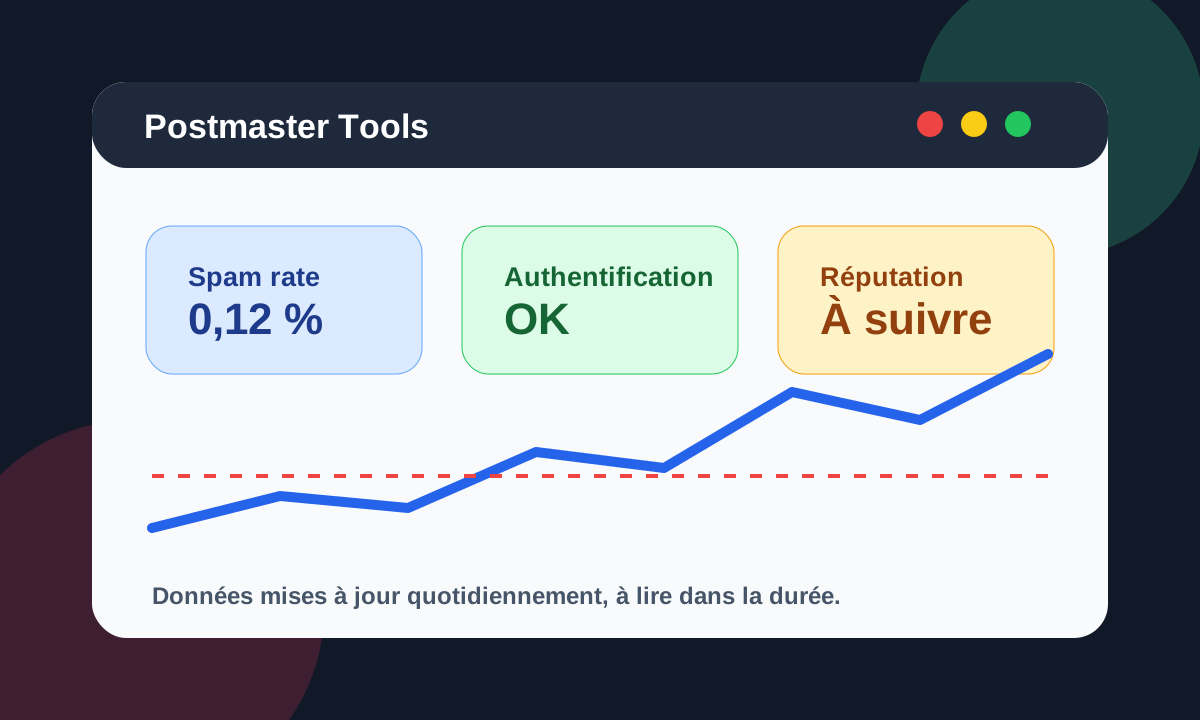
Google notes that the data is not real-time and is usually updated within 24 hours, sometimes longer.
So do not read this indicator as an instant measurement. Watch it over time, by campaign, by period and alongside reputation trends.
Another important nuance: Postmaster Tools shows the spam rate for DKIM-authenticated messages sent to Gmail accounts. If much of your mail is already automatically filed as spam, the displayed rate can look low, because fewer recipients see the message in the inbox and can report it.
A low rate is therefore not an absolute guarantee. It must be cross-checked with other signals: domain reputation, IP reputation, errors, spam placement, engagement and campaign results.
The most frequent causes of a high complaint rate
A high complaint rate rarely has a single cause.
It is usually the result of several factors adding up.
A list that is too broad
The more a list contains disengaged contacts, the higher the risk of complaints.
Inactive contacts are not all dangerous, but they must be handled differently. Mailing them like active contacts can degrade your signals. Our article on B2B list quality covers this.
Too much marketing pressure
Even a legitimate contact can end up clicking “spam” if they receive too many messages.
Frequency must reflect real interest, the sales cycle, the type of content and the level of engagement.
Content seen as irrelevant
An email can be well written and still poorly targeted.
If the recipient does not understand why they receive the message, or does not recognise the relationship with the sender, the risk of complaint rises.
An unsubscribe that is too hard
If unsubscribing is harder than clicking “spam”, some recipients will take the quickest route.
For commercial and promotional messages, the unsubscribe experience must be clear, visible and honoured quickly. Our guide to one-click unsubscribe explains the headers Gmail expects.
How to reduce Gmail spam complaints
Reducing the complaint rate is not about hiding problems. It means fixing what pushes users to report your emails.
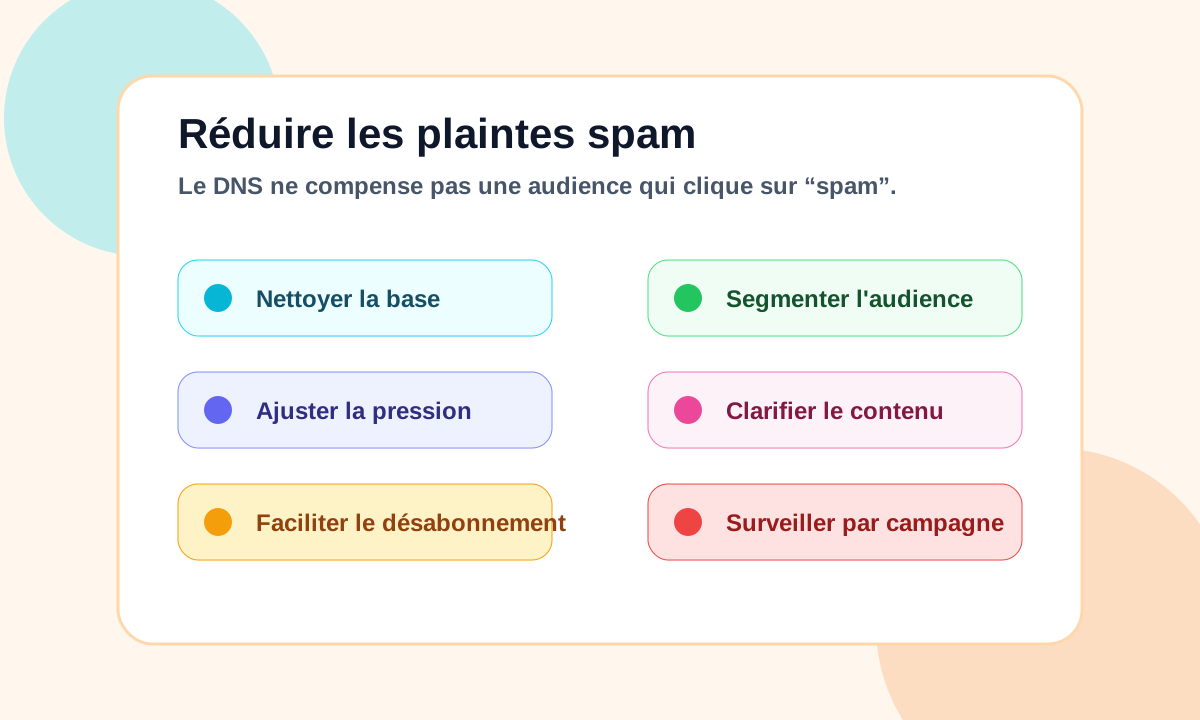
Priority actions:
- remove hard bounces and invalid contacts;
- segment inactive contacts;
- reduce pressure on less engaged audiences;
- send more targeted content;
- make the sender’s identity clear;
- recall the context of the relationship when relevant;
- make unsubscribing easy;
- honour unsubscribe requests quickly;
- watch the campaigns that generate the most complaints;
- follow the trend in Postmaster Tools.
The goal is not just to stay under a threshold. The goal is to build a healthier relationship with recipients.
The link with overall deliverability
The spam complaint rate should not be looked at in isolation.
It should be read together with:
- domain reputation;
- IP reputation;
- bounce rate;
- engagement;
- SMTP errors;
- volumes;
- segmentation;
- SPF, DKIM and DMARC configuration;
- compliance with Gmail, Yahoo and Microsoft requirements.
But in many diagnoses, the complaint rate is an excellent indicator.
It shows that the problem is not only in DNS. Sometimes it lies in the relationship with the audience.
Conclusion
At Gmail, the spam complaint rate is a concrete trust signal.
A correct SPF, DKIM and DMARC setup is not enough if recipients click “spam”.
Deliverability also depends on list quality, marketing pressure, content relevance and how easy it is to unsubscribe.
In email, a few tenths of a point can make a real difference.
And at Gmail, the spam complaint rate often reveals the problem better than DNS configuration alone.
To analyse your own signals, see Dharmail’s email deliverability audit (page in French).