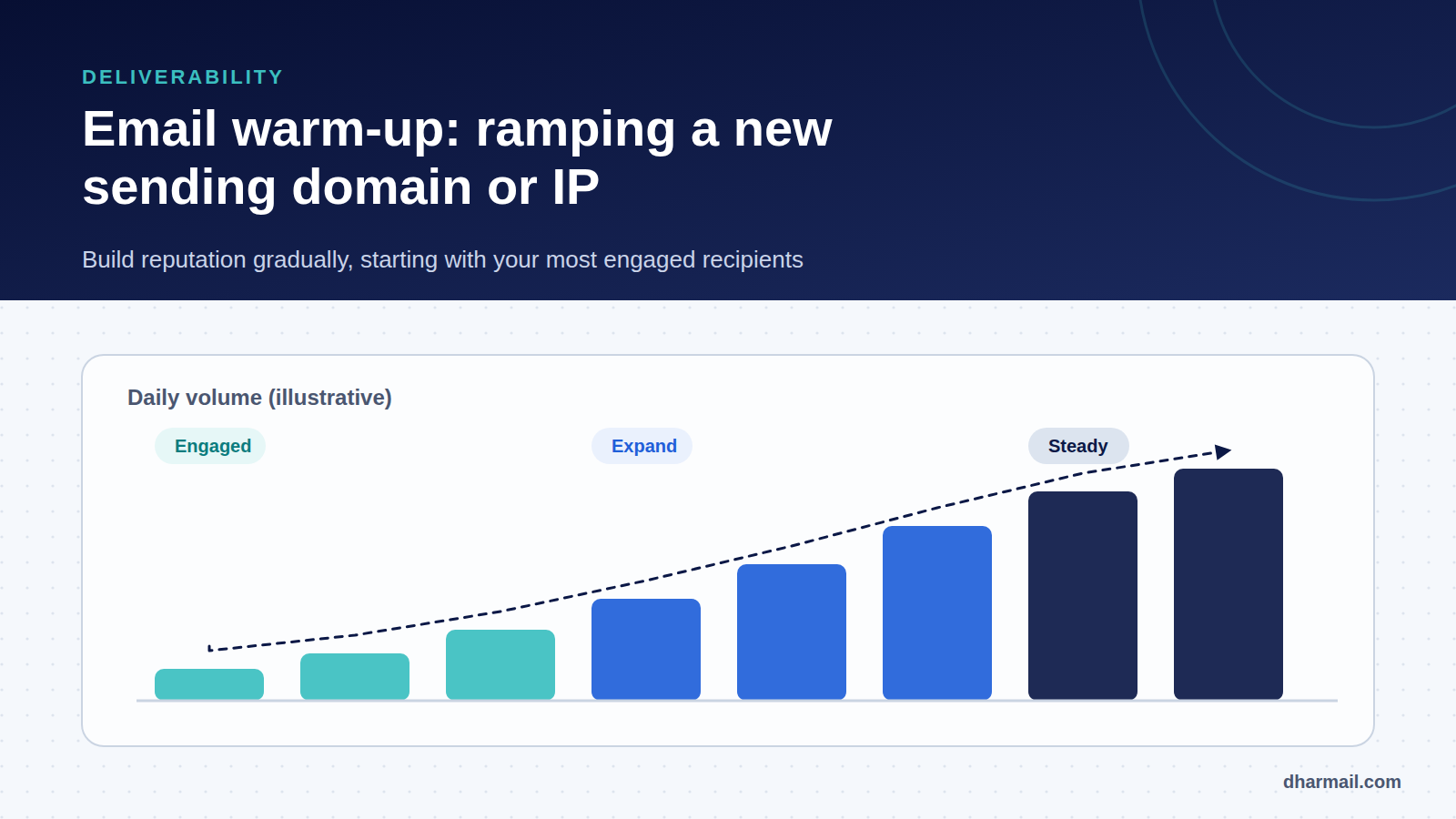
A domain or IP address that has never sent email has no reputation. To Gmail, Outlook or Yahoo, it is a stranger. If that stranger sends 50,000 messages on day one, filters react as they would to a spammer: throttling, temporary rejections, spam placement. Warm-up means growing volume gradually to build that reputation.
It is one of the most underrated steps in email deliverability. It matters most during migrations: new ESP, new dedicated IP, new marketing subdomain. A bad start can cost weeks of degraded campaigns. This guide explains when a warm-up is needed, how to run it and which signals set the pace.
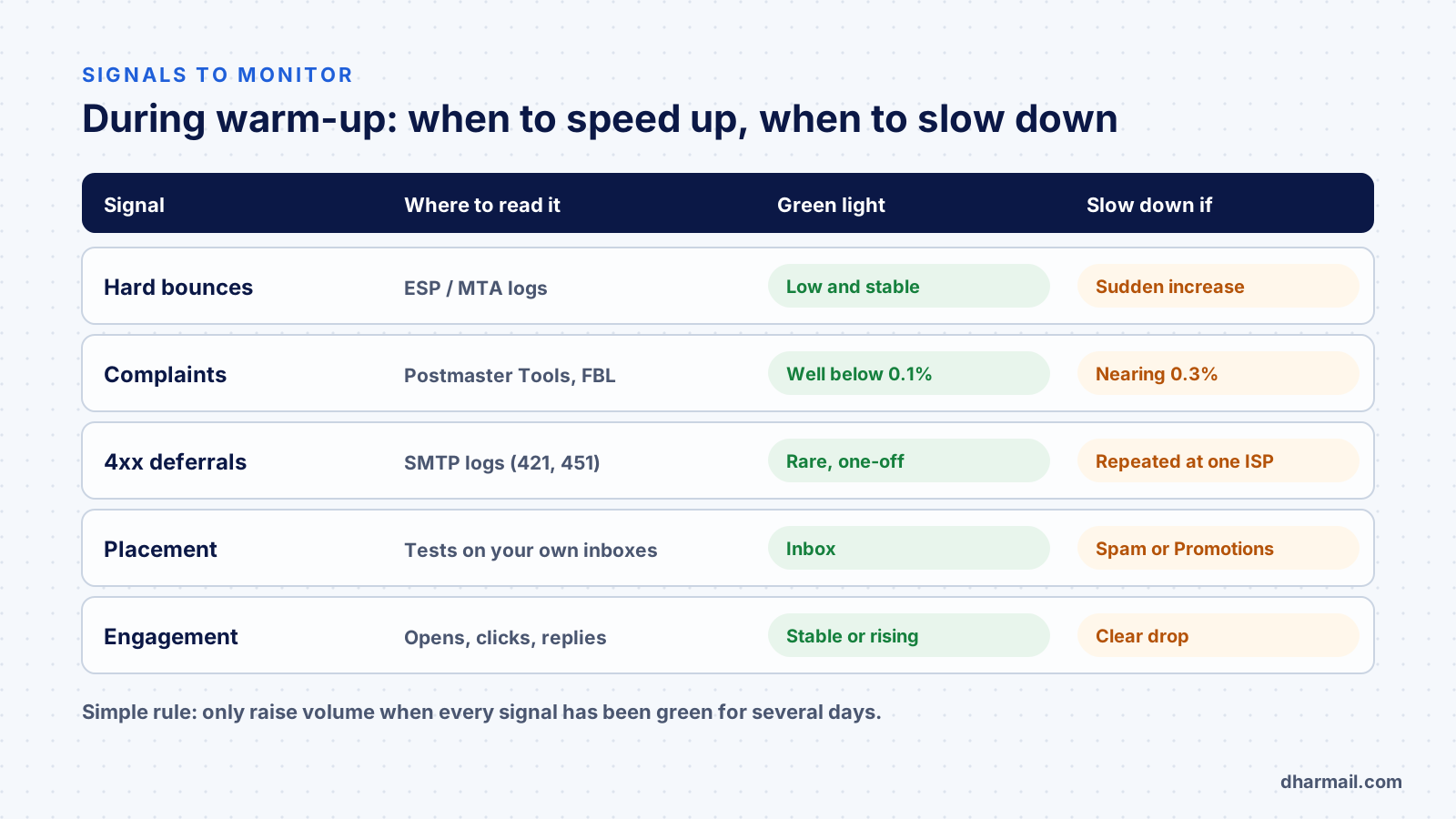
Key takeaway: there is no universal schedule. The right pace is the one your signals allow: only raise volume when bounces, complaints and temporary deferrals have stayed low for several days. Always start with your most engaged recipients.
When is a warm-up needed?
| Situation | Warm-up needed? |
|---|---|
| New dedicated IP at an ESP or on your server | Yes, essential |
| New sending domain or subdomain | Yes, domain reputation starts from zero |
| ESP migration with the same domain | Recommended: new IPs and new sending patterns |
| Large volume increase (5× or more) | Recommended: ramp up gradually |
| Domain inactive for several months | Recommended: its history has faded |
| Shared IP at an ESP, stable volume | Usually not, the ESP manages pool reputation |
Mailbox providers now weigh domain reputation most heavily, especially Gmail, but IP reputation still matters, notably at Microsoft. An ESP migration touches both: your domain keeps its history, but it now arrives from IPs that providers do not yet associate with you.
Dedicated or shared IP?
A shared IP pools the reputation of several ESP customers. It is already “warm”, but you depend on other senders’ practices. A dedicated IP gives you control, provided you send enough volume, regularly, to sustain its reputation. Below a few tens of thousands of emails a month, a dedicated IP is often counterproductive: too few signals to build a stable reputation.
Before the first send: prerequisites
A warm-up cannot make up for a broken setup. Before the first message, check:
- SPF, DKIM and DMARC aligned with the domain in the From header. Without alignment, every send feeds a poor reputation. See our configuration guide.
- Consistent reverse DNS and HELO for dedicated IPs, now required by Spamhaus: see our article on the new Spamhaus rules.
- Working one-click unsubscribe for marketing mail (List-Unsubscribe).
- A clean list: invalid addresses removed, no purchased lists, long-inactive contacts set aside.
- Monitoring ready: Google Postmaster Tools verified for the domain, Microsoft SNDS for dedicated IPs.
Running the warm-up: the method
1. Start with your most engaged recipients
The first sends must produce the best possible signals: opens, replies, few unread deletions, no complaints. Select contacts who opened or clicked recently, for example within the last 30 to 90 days depending on your sending frequency. Active customers and recent subscribers are the best candidates.
2. Ramp up in steps, only on a green light
Increase daily volume in steps, holding each step for several days. The table below is an example for a sender targeting 50,000 emails a day; it is not a standard. ESPs often publish their own plans, which should take priority.
| Phase (example) | Daily volume | Audience |
|---|---|---|
| Days 1–3 | 500 to 1,000 | Engaged in the last 30 days |
| Days 4–7 | 2,000 to 5,000 | Engaged in the last 30 days |
| Week 2 | 5,000 to 15,000 | Engaged in the last 90 days |
| Week 3 | 15,000 to 30,000 | Gradual widening |
| Week 4 onwards | Up to 50,000 | Usual audience, without inactive contacts |
If a step shows degraded signals, do not move to the next one. Hold the volume, or step back, until you understand the cause.
3. Spread sends and keep a steady cadence
Avoid sending the whole volume at once. Spread sends across the day and keep a regular rhythm. Providers value predictability: stable volume five days a week beats a Monday spike followed by silence. Also check your split by provider: if much of your list is on Gmail, Gmail will set your pace.
4. Widen the audience gradually
Once target volume is reached with your best contacts, add less engaged segments one at a time. Long-inactive contacts do not belong in a warm-up. Bring them back later through a dedicated re-engagement campaign, or remove them.
Signals that should make you slow down
Complaints. Google asks senders to stay below 0.1% complaints and never reach 0.3% in Postmaster Tools. During a warm-up, rising complaints are the most serious signal, because they hit your domain reputation directly. See also why emails land in spam or Gmail Promotions.
Temporary deferrals (4xx codes). A provider throttling an unknown sender replies with temporary codes. At Gmail, 421-4.7.28 flags an unusual rate of unsolicited mail from your IP. At Microsoft, 451 4.7.650 indicates temporary rate limiting due to IP reputation. A few deferrals are normal at first; repeated ones mean you must reduce volume.
Hard bounces. A sudden rise reveals a poor-quality segment, often old contacts. Remove permanently failing addresses immediately. Our list of SMTP errors helps sort them.
Placement. Test with your own mailboxes at the main providers. A slide towards spam or the Promotions tab should make you slow down and review both content and audience.
Mistakes that ruin a warm-up
- Sending the first campaign to the whole list “because the domain is known”. The new IPs are not.
- Starting with inactive contacts to “clean” the list. That is where spam traps and recycled addresses hide.
- Using automated engagement services that simulate opens and replies from networks of mailboxes. These networks are detectable and can harm your reputation instead of building it.
- Changing several things at once: ESP, domain, template and frequency. If something goes wrong, you cannot find the cause.
- Pausing for weeks right after the warm-up. Reputation erodes without regular activity.
FAQ
How long does a warm-up take?
Usually two to six weeks, depending on target volume, list quality and provider reactions. Your signals set the duration, not the calendar.
Do I need to warm up a new sending subdomain?
Yes. A subdomain partly benefits from the parent domain’s history, but it builds its own reputation. Our guide to creating a sending subdomain covers the setup.
Is a warm-up useful for transactional email?
Yes if you change infrastructure. Transactional email has excellent engagement, which speeds up the warm-up. Move it first, before marketing campaigns.
Can I warm up with internal test sends?
No. Messages to your own mailboxes do not reflect your recipients’ behaviour. Only real sends to engaged contacts build useful reputation.
What if the warm-up goes badly?
Drop back to the last healthy step, return to your most engaged contacts and look for the cause: segment, content, authentication or a specific provider. Resume the ramp only after several days of green signals.
Conclusion
A successful warm-up is mostly discipline: solid technical prerequisites, best recipients first, step-by-step ramp-up and decisions based on signals. It does not guarantee inbox placement, but it avoids burning a fresh reputation on day one. If you are planning an ESP migration or a new sending domain, Dharmail’s email deliverability audit (page in French) checks configuration and signals before and during the ramp-up.