A services company adds a new invoicing tool. As the vendor asks, IT adds an include: to the domain’s SPF record. The next day, customer follow-ups sent by the CRM start landing in spam, and the website form stops delivering its acknowledgements to some recipients. Emails sent from Microsoft 365, on the other hand, keep getting through.
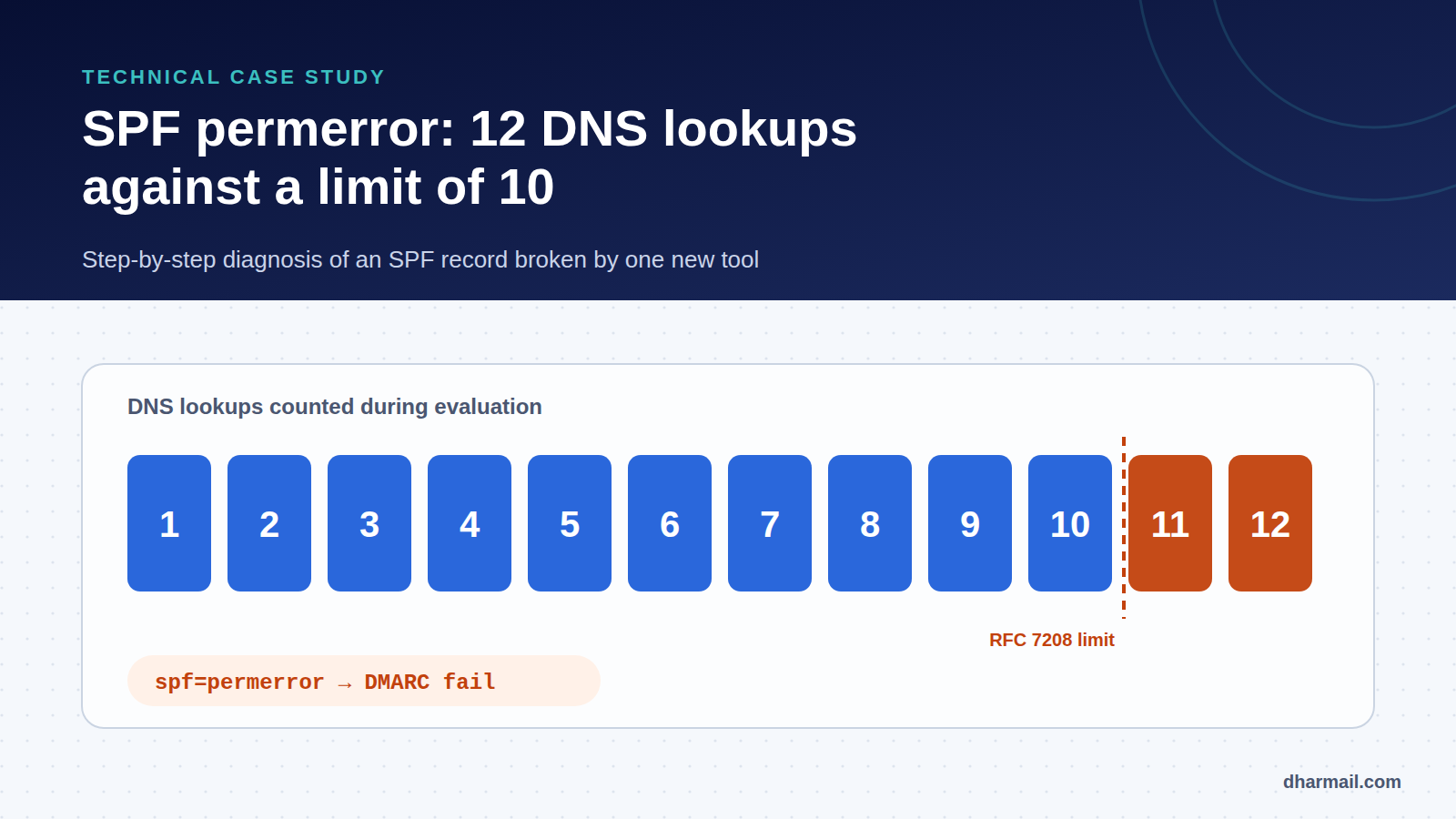
Behind these scattered symptoms lies a single cause: spf=permerror. The domain’s SPF has become invalid for every sender, because its evaluation exceeds the 10 DNS lookup limit. This case study walks through the full diagnosis and fix.
Reconstructed scenario. This case combines situations often seen during audits. Domains and providers are fictitious, except the Microsoft 365 include, whose cost was measured.
The symptoms
- CRM follow-ups and website form emails land in spam for several customers.
- Staff emails, sent from Microsoft 365, are not affected.
- The problem started right after the invoicing tool was added to SPF.
- The domain has published DMARC at
p=quarantinefor several months.
The contrast between flows is the first clue. Microsoft 365 signs its messages with DKIM for the domain: DMARC passes thanks to DKIM, even if SPF fails. The CRM and the website have no aligned DKIM. They relied only on SPF. When SPF breaks, DMARC breaks too.
Step 1: read the SPF result in the headers
A CRM message received in a test mailbox shows:
Authentication-Results: mx.example-customer.com;
  spf=permerror smtp.mailfrom=example.com;
  dkim=none;
  dmarc=fail action=quarantine header.from=example.com
permerror is not a fail. The server did not judge the IP unauthorised: it could not evaluate the record. For DMARC, the outcome is the same: SPF does not pass. Aggregate DMARC reports confirm it for every source using example.com as envelope domain:
<spf><domain>example.com</domain><result>permerror</result></spf>Step 2: count the lookups, includes included
The domain’s record does not look excessive:
dig +short TXT example.com | grep spf1
"v=spf1 include:spf.protection.outlook.com include:spf.mkt-platform.example
 include:_spf.crm.example include:mail.support.example
 include:spf.invoices.example mx -all"
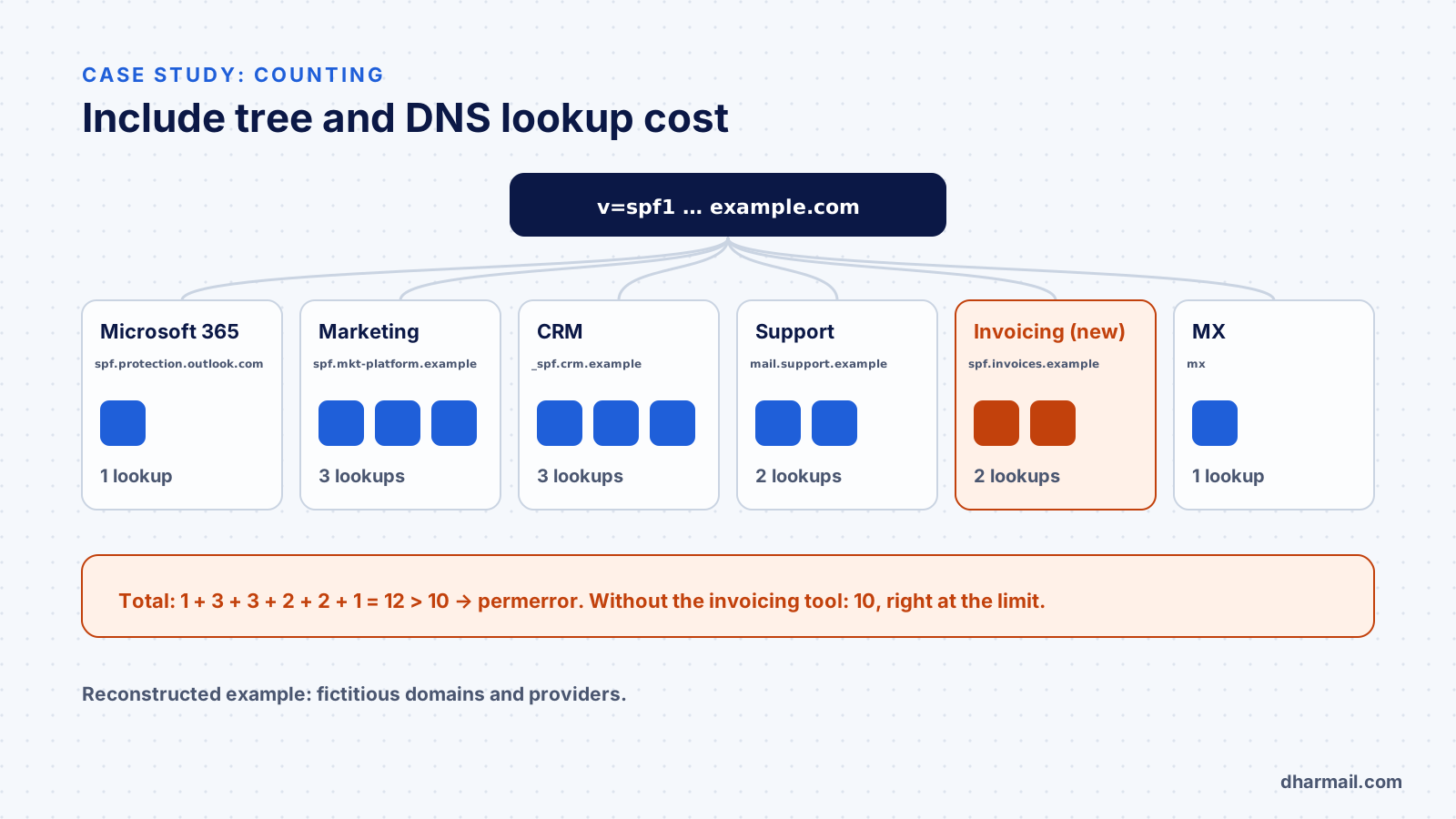
Only six mechanisms. But the RFC 7208 limit applies to terms that trigger a DNS query throughout evaluation, including inside includes. So each include must be opened:
dig +short TXT spf.protection.outlook.com
# v=spf1 ip4:40.92.0.0/15 ... -all          → 1 lookup (the include itself)
dig +short TXT spf.mkt-platform.example
# v=spf1 include:a.mkt... include:b.mkt...  → 1 + 2 = 3 lookups
The full count gives:
| Source | Lookup cost |
|---|---|
Microsoft 365 (spf.protection.outlook.com) |
1 |
| Marketing platform | 3 |
| CRM | 3 |
| Support tool | 2 |
| Invoicing tool (new) | 2 |
mx |
1 |
| Total | 12 |
Before the change, the total was 10: the domain sat exactly at the limit without anyone knowing. The invoicing include tipped it over. The RFC is explicit: above 10, the implementation must return permerror.
Step 3: look for other permerror causes
Exceeding the limit is not the only possible cause. During the audit, two other points are checked, because they produce the same result:
An include pointing to a domain without SPF. According to the table in section 5.2 of RFC 7208, if an include: target publishes no SPF (result none), evaluation returns permerror. This is the old-provider trap: their domain disappears or stops publishing SPF, and your record breaks without you changing anything.
Void lookups. A query that returns no answer (non-existent domain or no record) is a void lookup. The RFC recommends limiting them to two; beyond that, the result is also permerror.
Two SPF records. Two TXT records starting with v=spf1 on the same name invalidate SPF.
In this case, the audit also finds a leftover include pointing to an old email platform, removed from the main record long ago but still present in a secondary DNS zone. It is not what breaks the main domain, but it is removed along the way.
Step 4: fix without blind flattening
The temptation is to replace every include with IP addresses (flattening). It lowers the counter, but creates a risk of silent failure when a provider changes its IPs. Our article on SPF syntax and flattening explains this trade-off. Here, the fix follows a more durable order:
- Remove
mx. The domain’s MX records point to Microsoft 365, already covered by its include: the mechanism is redundant. Saves 1 lookup. - Move marketing to a subdomain. Campaigns now leave from
news.example.com, with its own SPF and an aligned DKIM signature. Saves 3 lookups on the main domain. See our guide to creating a sending subdomain. - Enable aligned DKIM on the CRM and invoicing tool. These flows no longer depend on SPF alone to pass DMARC.
- Measure again. The main domain drops to 8 lookups, leaving room for a future tool.
example.com.       TXT "v=spf1 include:spf.protection.outlook.com include:_spf.crm.example include:mail.support.example include:spf.invoices.example -all"
news.example.com.  TXT "v=spf1 include:spf.mkt-platform.example -all"
Step 5: verify
- One message from each flow (CRM, website, invoicing, Microsoft 365) is sent to a Gmail and a Microsoft 365 address: each header must show
spf=passanddmarc=pass. - DMARC reports are followed for two weeks:
permerrormust disappear from every source. - A rule is documented: every new include is measured before publishing. Our free domain checker (page in French) shows each SPF term’s DNS lookup cost.
Lessons learned
- A “short” SPF record can be expensive: only the full include tree counts.
- A permerror affects every flow, not just the tool you added.
- Flows without aligned DKIM fail first. Aligned DKIM everywhere is the best insurance against a fragile SPF.
- Headroom matters. A domain at 10 lookups works, until the next tool, or until a provider adds an include on its side.
FAQ
What is the difference between SPF fail and SPF permerror?
fail means the IP is not authorised. permerror means the record could not be evaluated: invalid syntax, more than 10 lookups, an include to a domain without SPF, or too many void lookups.
Does an SPF permerror block all my emails?
Not necessarily. Flows DKIM-signed for your domain can still pass DMARC. Those relying only on SPF fail, and are quarantined or rejected if your DMARC policy says so.
Do ip4 and ip6 count towards the limit?
No. Only include, a, mx, ptr, exists and redirect trigger counted lookups.
How do I know what an include costs?
Read its record, then those of its own includes, recursively. An SPF checking tool does this calculation automatically.
Is flattening a good solution?
It is a last resort. It lowers the counter but must be monitored, because providers’ IPs change. Simplifying the sending architecture is more durable.
Conclusion
An SPF permerror is a silent failure: nothing warns you when you change DNS, and symptoms show up elsewhere, at the recipients. Diagnosis comes down to three moves: read the headers, count the full include tree and check the side causes. The durable fix is separating flows and aligning DKIM, not hasty flattening. Dharmail’s SPF, DKIM and DMARC audit and configuration service (page in French) includes this measurement and the documentation that prevents a relapse.