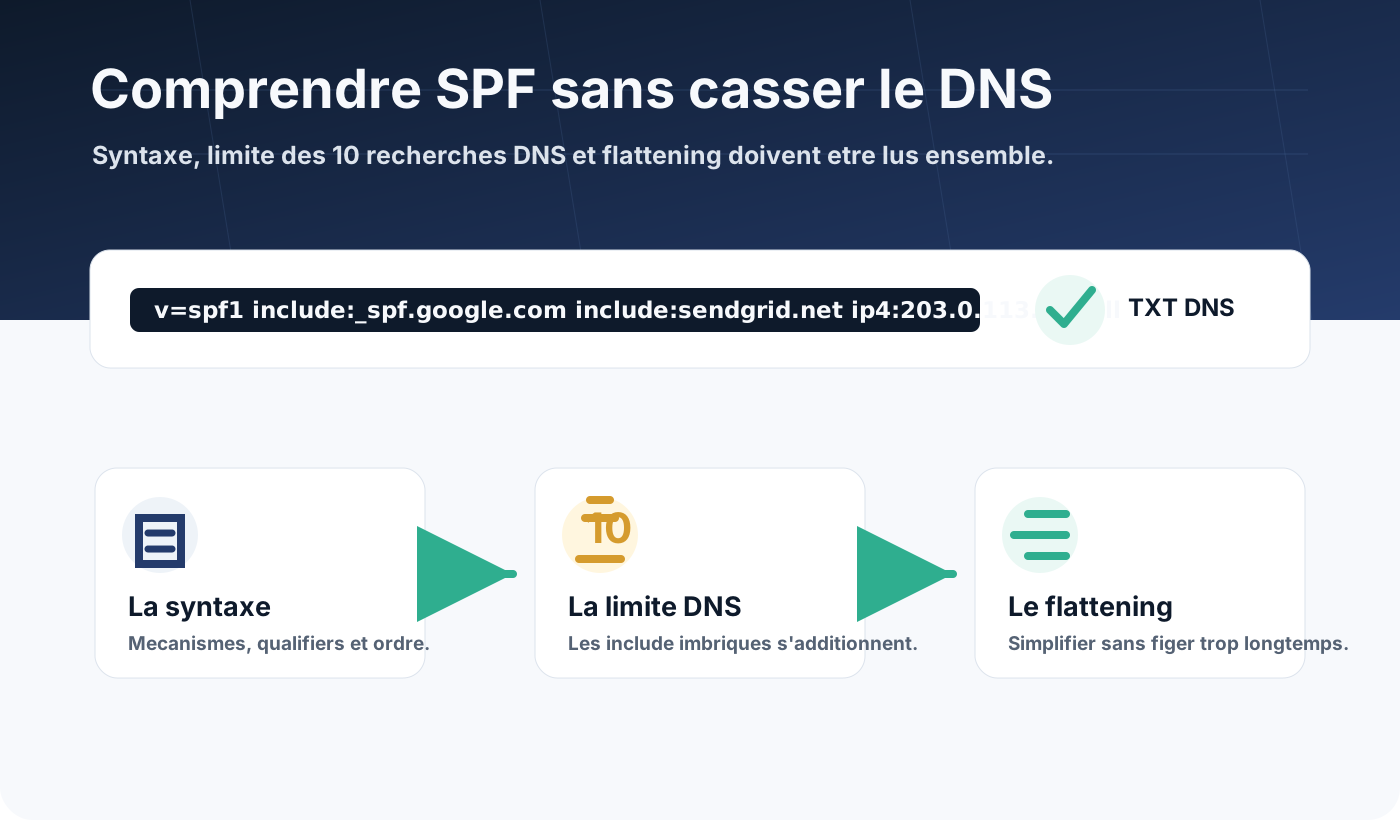
SPF is one of the foundations of email authentication.
It tells the servers that receive your messages which platforms are allowed to send email for your domain.
On paper, the principle is simple: publish one TXT line in DNS. In practice, many problems come from overloaded syntax, old tools never removed, or the 10 DNS lookup limit.
What is SPF for?
SPF stands for Sender Policy Framework.
When a server receives an email, it looks at the domain used in the envelope sender, also called MAIL FROM or Return-Path. It then fetches the SPF record published in that domain’s DNS.
If the IP address of the sending server is authorised by SPF, the check can pass. If it is not, the result can be fail, softfail, neutral or an error depending on the configuration.
SPF therefore answers a precise question:
Is this server allowed to send for this envelope domain?
This matters: SPF does not directly check the address the user sees in the “From” field. DMARC then links SPF to the visible domain through alignment.
The syntax of an SPF record
SPF is published as a DNS TXT record.
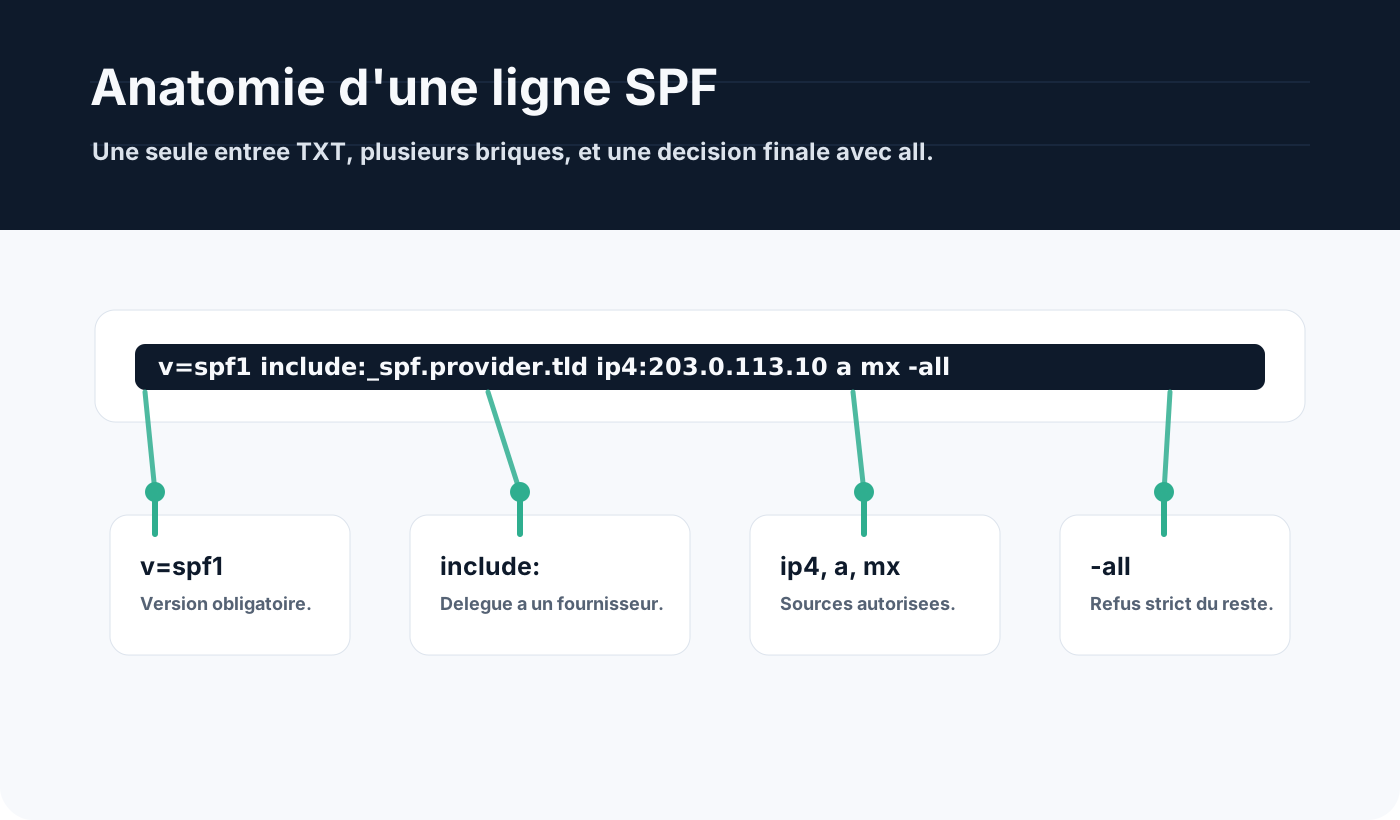
It always starts with v=spf1, then lists mechanisms that describe the authorised sources.
Typical example:
v=spf1 include:_spf.google.com include:sendgrid.net ip4:203.0.113.10 -allIn this line:
v=spf1announces an SPF record;include:_spf.google.comauthorises the servers described by Google’s SPF;include:sendgrid.netauthorises the servers described by SendGrid;ip4:203.0.113.10directly authorises one IPv4 address;-allsays everything else must fail.
You will also see ip6, a, mx, exists or redirect.
The trap is to see SPF as a simple list. In reality, some mechanisms trigger further DNS queries, sometimes in cascade.
Qualifiers: +, -, ~ and ?
Each SPF mechanism can be preceded by a qualifier.
When there is none, + is implicit. It means “pass”.
The most common qualifiers:
+: the source is authorised;-: the source is not authorised, strictfailresult;~: the source is probably not authorised,softfailresult;?: SPF takes no position,neutralresult.
The most common ending is -all or ~all.
For a well-controlled production domain, -all is usually the goal. During an audit or transition, ~all can be used temporarily while flows are being checked.
The 10 DNS lookup limit
SPF imposes a limit: while evaluating a record, the receiving server must not exceed 10 DNS lookups caused by certain mechanisms.
This limit prevents an overly complex SPF record from slowing down or overloading DNS resolution.
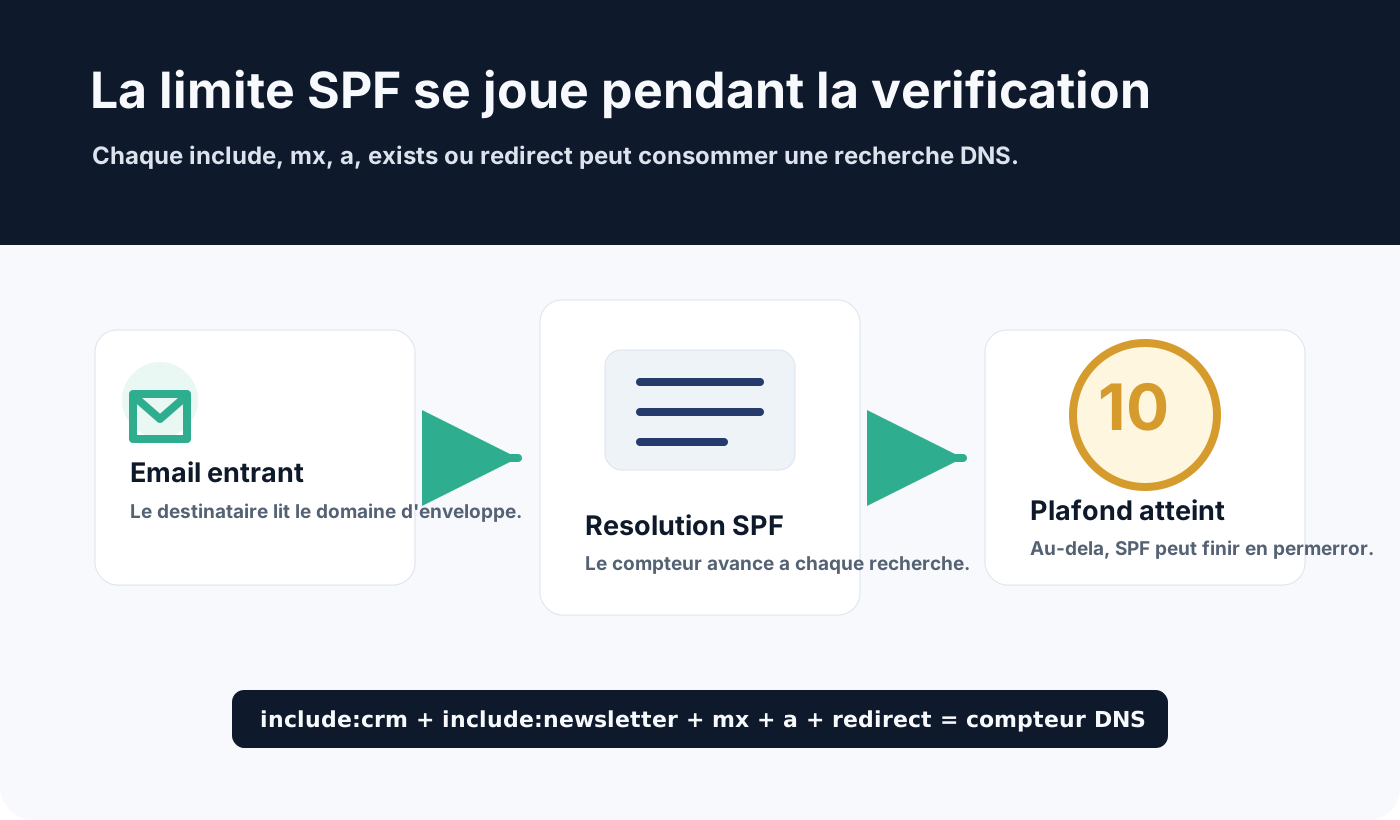
Mechanisms that consume DNS lookups include:
include;a;mx;ptr;exists;redirect.
On the other hand, ip4, ip6 and all do not consume extra lookups.
The point most often forgotten: include records can themselves contain other include records. The counter does not only look at your visible line. It also adds what providers declare behind their own records.
Example:
v=spf1 include:_spf.google.com include:sendgrid.net include:spf.protection.outlook.com include:mail.service.example -allThis line looks short. Yet it can already trigger many lookups if each provider delegates to other domains.
When the limit is exceeded, the result can become permerror. SPF is then no longer reliable for the domain.
Why SPF records grow too long
An SPF record that starts clean often degrades over time.
You add Microsoft 365, then a newsletter platform, then a CRM, then an invoicing tool, then the website, then an old SMTP relay kept “just in case”.
Each addition seems logical on its own. But together they become fragile.
Common causes:
- old providers never removed;
- several tools sending from the main domain;
includerecords added without measuring their DNS cost;- SPF duplicated across several TXT records;
mxoraused where explicit IPs would do;- no dedicated subdomains for marketing, transactional or application flows.
A domain must publish only one SPF record. Several TXT records starting with v=spf1 on the same name cause an error.
SPF flattening
Flattening means replacing some include mechanisms with the IP addresses they resolve to.
Instead of asking the receiver to follow several DNS delegations, you publish a list of IPs or IP ranges directly.
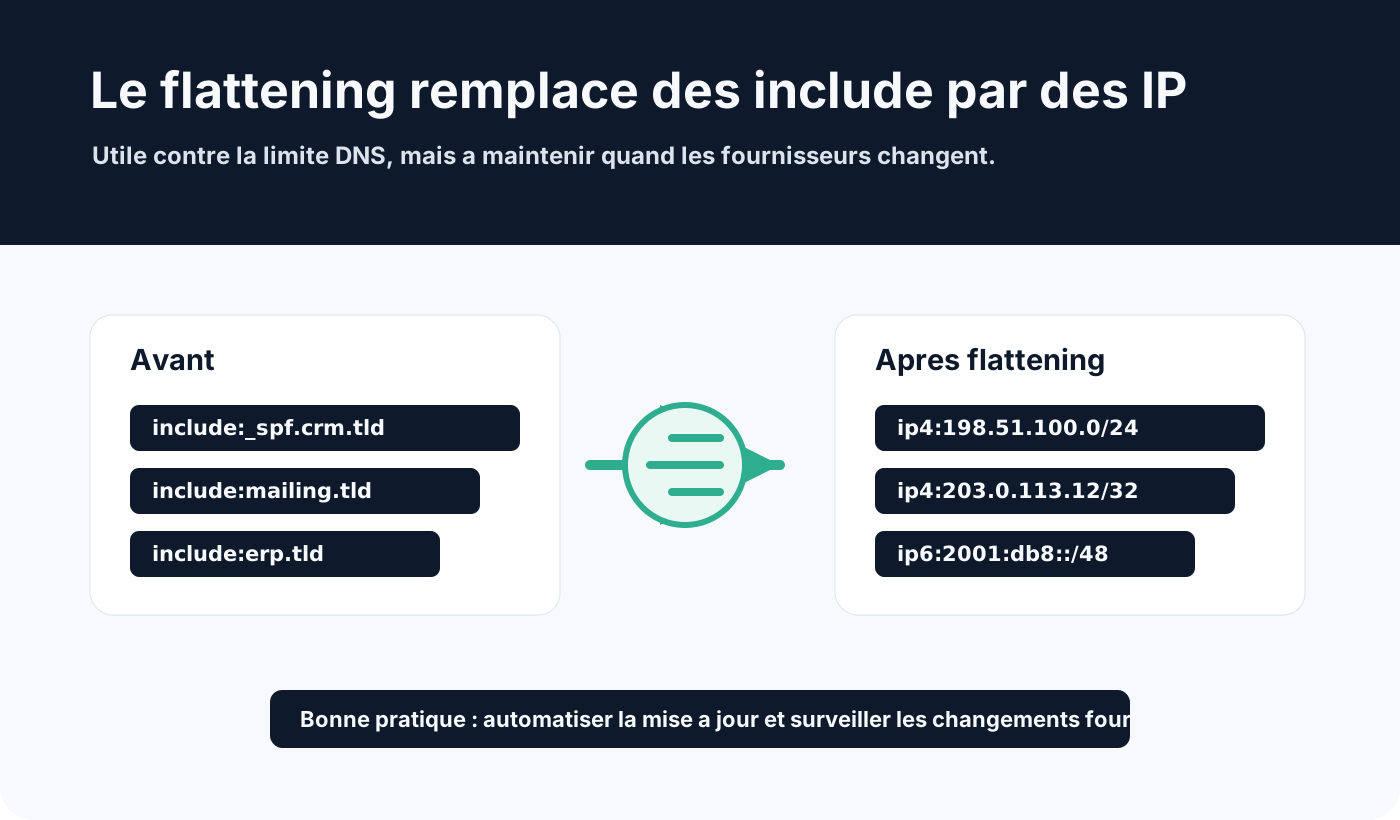
Simplified example before flattening:
v=spf1 include:spf.crm.example include:spf.newsletter.example -allSimplified example after flattening:
v=spf1 ip4:198.51.100.0/24 ip4:203.0.113.12 ip6:2001:db8::/48 -allThe benefit is clear: fewer DNS lookups during SPF evaluation.
But flattening has a cost: providers can change their IP ranges. If the flattened line is not updated, legitimate emails can fail SPF.
Flattening is therefore not a one-off operation to forget. It must be monitored, documented and ideally automated.
When should you use flattening?
Flattening can help when the domain approaches or exceeds the 10-lookup limit and there is no other way to simplify.
But it is not always the first answer.
Before flattening an SPF record, it is better to:
- remove old providers;
- check whether each tool really still sends;
- move some flows to subdomains;
- replace
aormxwith explicit IPs where relevant; - enable DKIM on modern platforms;
- check DMARC alignment.
Flattening is a technical answer to a DNS constraint. It must not hide an email architecture that is too concentrated on the main domain.
SPF, subdomains and sending architecture
Good SPF configuration often starts with better separation of flows.
For example, a company can keep example.com for staff email, then use:
news.example.comfor newsletters;billing.example.comfor invoicing notifications;app.example.comfor transactional email;support.example.comfor the ticketing tool.
Each subdomain can have its own SPF, DKIM and an appropriate DMARC policy. Our guide to creating a sending subdomain covers the setup.
This approach reduces the complexity of the main SPF record and limits the impact of a problem to a single flow.
It also makes DMARC reports easier to read, because sending sources become easier to tell apart.
SPF best practices
A solid SPF record must stay readable.
Rules to keep in mind:
- publish only one SPF record per domain;
- avoid unnecessary
includemechanisms; - count the real DNS lookups, including providers’ ones;
- document each authorised source;
- prefer
ip4andip6when IPs are stable; - avoid
ptr, rarely useful and costly; - never use
+all, which authorises everything; - aim for
-allonce flows are under control; - monitor after every provider or tool change.
SPF should be maintained as a living inventory of the platforms allowed to send.
Conclusion
SPF is easy to explain, but easy to make fragile.
Its syntax relies on a few mechanisms, but include, a, mx, exists and redirect can quickly use up the 10 DNS lookup limit.
Flattening can help, provided it is maintained. Otherwise, it turns a DNS limit problem into a risk of silent failure when a provider changes its IPs.
The right approach is to keep SPF short, documented, measured and consistent with your sending architecture: a clean main domain, subdomains when flows multiply, DKIM enabled wherever possible, and DMARC to control alignment. See our guide to configuring SPF, DKIM and DMARC without breaking email delivery.
To clean up your SPF together with DKIM and DMARC, see Dharmail’s SPF, DKIM and DMARC configuration service (page in French).
To count your SPF lookups, use our free domain checker (page in French).