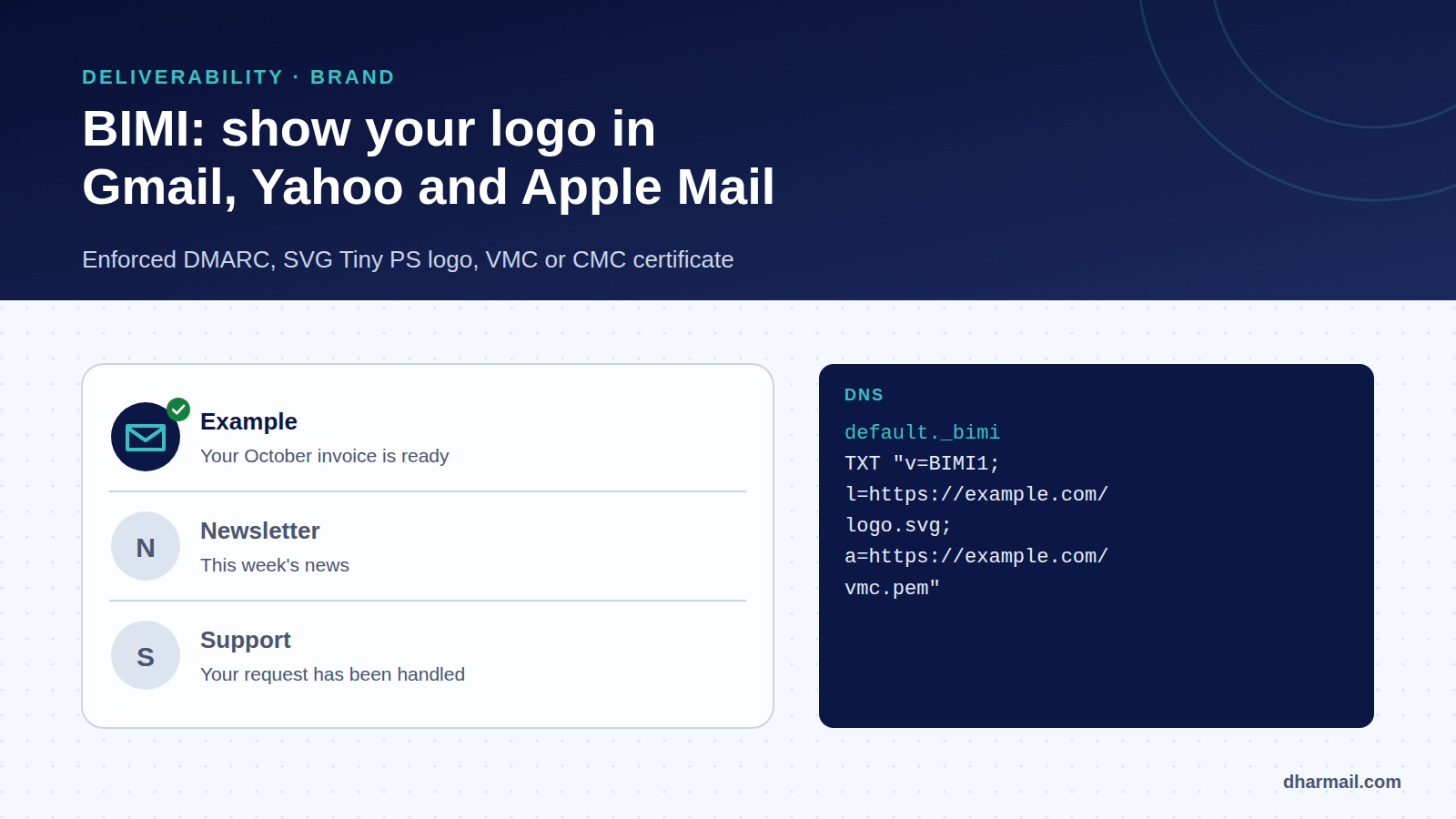
In an inbox, most senders only get an initial in a grey circle. Some display their logo. This is not a setting on the recipient’s side: it is BIMI (Brand Indicators for Message Identification), a standard that lets a brand publish its logo in DNS, provided it proves its domain is properly protected.
BIMI does not directly improve email deliverability. But it rewards a domain that is authenticated and protected by a strict DMARC policy, and makes your messages easier to tell apart from an impostor’s. For a small business, it is often the concrete outcome of a DMARC project.
Key takeaway: no BIMI without enforced DMARC (
p=quarantineorp=reject, at 100%). Gmail also requires a VMC or CMC certificate; Yahoo can show the logo without one. Microsoft Outlook does not support BIMI.
How BIMI works
The mechanism relies on three elements:
- A DNS record published at
default._bimi.your-domain, stating where to find the logo and, if applicable, the certificate. - A logo in SVG Tiny PS format, hosted over HTTPS.
- A certificate (VMC or CMC) proving you are entitled to use that logo, required by some mailbox providers.
On receipt, the mailbox checks that the message passes DMARC and that the domain enforces a strict policy, then fetches the BIMI record and displays the logo if all its conditions are met. Each provider remains free to apply its own criteria, notably reputation.
Requirement 1: enforced DMARC
This is the blocking point for most domains. The BIMI Group requires the DMARC policy to be enforced on the organisational domain and its subdomains: p=quarantine; sp=quarantine or p=reject; sp=reject. A p=none policy, or a pct below 100, is not accepted. Google and Yahoo also require quarantine or reject, and Google specifies pct=100.
_dmarc.example.com. TXT "v=DMARC1; p=quarantine; sp=quarantine; pct=100; rua=mailto:dmarc@example.com"Moving to quarantine must be prepared: every legitimate flow must already pass DMARC. Our method to configure SPF, DKIM and DMARC without breaking email delivery describes the steps, and our guide to reading a DMARC report helps find forgotten sources.
Requirement 2: an SVG Tiny PS logo
The logo must be an SVG Tiny Portable/Secure file: a restricted SVG profile declared with baseProfile="tiny-ps" and version="1.2". It must contain no script, animation or external reference. For Gmail, Google adds several rules:
- a centred square format with a solid background;
- at least 96 × 96 pixels, expressed in absolute pixels;
- a file of 32 KB or less;
- a
<title>element and a<desc>element.
Most design tools export standard SVG: it must be converted, then validated. The file is hosted on an HTTPS server.
Requirement 3: a VMC or CMC certificate
For Gmail, a BIMI record pointing only to an SVG is not enough: Google states that Gmail supports BIMI only with a PEM file, meaning a certificate.
| VMC (Verified Mark Certificate) | CMC (Common Mark Certificate) | |
|---|---|---|
| Condition | Logo registered as a trademark with a recognised office | No registered trademark required |
| Blue checkmark in Gmail | Yes | No |
| Lead time | Trademark registration: 6 to 12 months per Google | Shorter |
| Google’s recommendation | Recommended “whenever possible” | Alternative |
The BIMI Group lists the authorities issuing these certificates, including DigiCert, GlobalSign and SSL.com. Certificates have a limited validity and must be renewed.
Publishing the BIMI record
default._bimi.example.com. TXT "v=BIMI1; l=https://example.com/bimi/logo.svg; a=https://example.com/bimi/vmc.pem"v=BIMI1: the version;l=: the HTTPS URL of the SVG logo;a=: the HTTPS URL of the VMC or CMC certificate (optional in the standard, required for Gmail).
The default selector is the most common. Yahoo honours BIMI on subdomains, but prefers a setup at the organisational domain level.
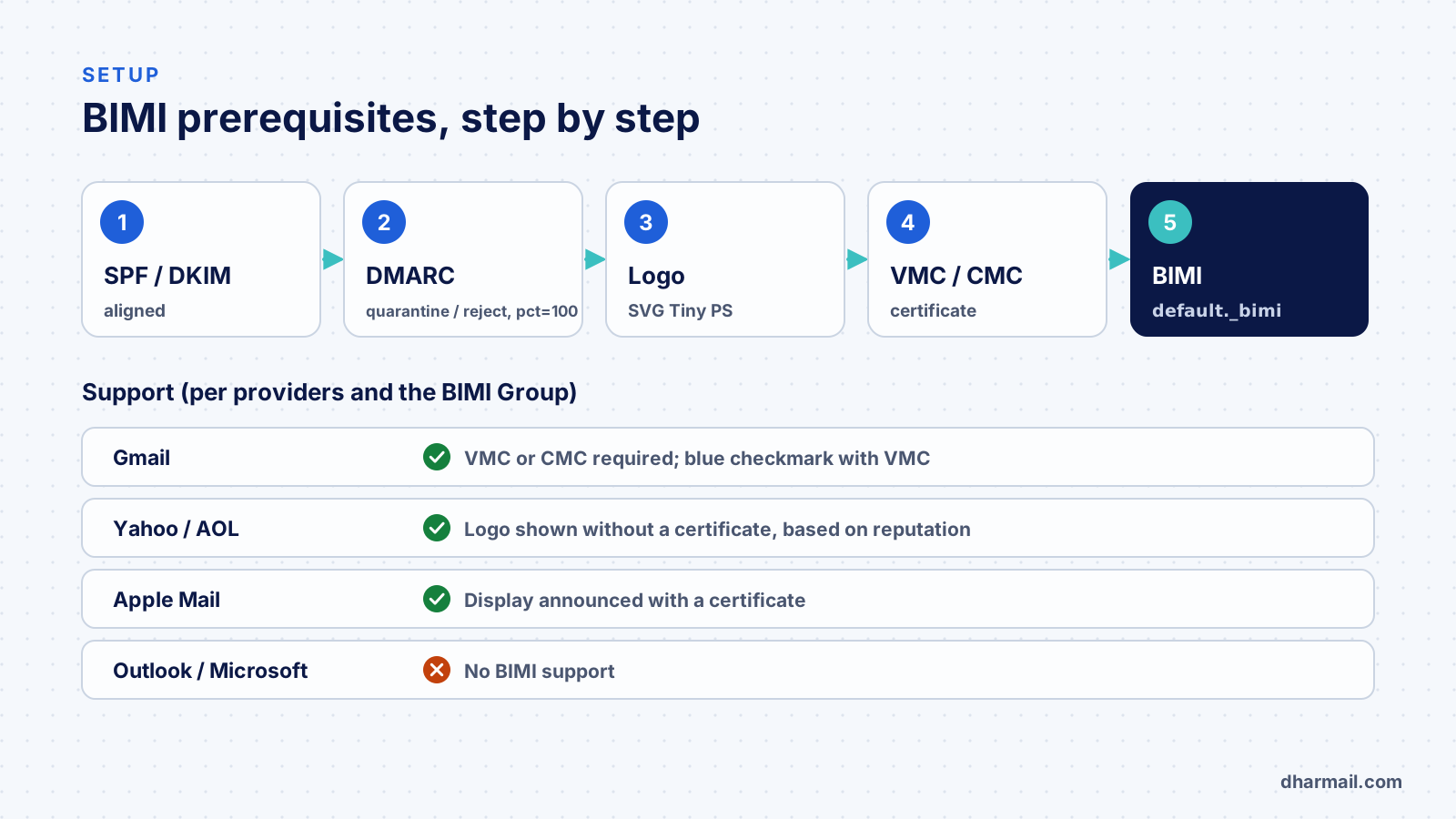
Which mailboxes show the logo?
| Mailbox | Conditions |
|---|---|
| Gmail | VMC or CMC certificate; blue checkmark only with a VMC |
| Yahoo, AOL | Logo shown without a certificate for bulk mail, based on reputation and engagement; a VMC is used if present |
| Apple Mail | Support announced with a certificate, according to the BIMI Group |
| Outlook / Microsoft | No BIMI support according to the BIMI Group |
| Others | Fastmail, La Poste, Zoho Mail and other providers listed by the BIMI Group |
Even with a perfect setup, display is not guaranteed: each provider can decide locally, notably based on domain reputation.
BIMI and deliverability: what to expect
BIMI does not move an email from spam to the inbox. However:
- it enforces authentication hygiene, which does matter for deliverability;
- it makes your messages more recognisable, which can improve engagement;
- it makes life harder for impostors, who cannot display your logo.
For a brand exposed to phishing, the security and trust argument is often stronger than the marketing one.
FAQ
Does BIMI improve deliverability?
Not directly. It requires enforced DMARC, which improves the domain’s protection and readability, and it can help recipients recognise your messages.
Can I use BIMI with DMARC p=none?
No. You need p=quarantine or p=reject, applied to 100% of messages, including subdomains according to the BIMI Group.
Is a certificate mandatory?
For Gmail, yes (VMC or CMC). Yahoo can display the logo without a certificate. Apple requires a certificate.
What is the difference between a VMC and a CMC?
A VMC requires a registered trademark and gives the blue checkmark in Gmail. A CMC needs no registered trademark but shows no checkmark.
Does Outlook display BIMI logos?
No: Microsoft does not support BIMI according to the BIMI Group.
Conclusion
BIMI is the showcase of a well-protected domain: it only becomes available after real work on authentication and enforced DMARC. Start by checking your flows and moving DMARC forward; the logo, certificate and BIMI record come afterwards. Dharmail’s SPF, DKIM and DMARC audit and configuration service (page in French) prepares your domain for this step.