An SMTP error often looks like an obscure sentence copied from a server, a CRM or a sending tool.
Yet it almost always gives a useful clue: a temporary problem, an invalid address, a poorly authenticated domain, a degraded reputation, an overly strict security policy, or a message refused by the receiving server.
This glossary helps you read the most common codes, tell temporary errors from permanent rejections, and know what to check before changing your whole configuration. For a longer reference organised by provider, see our list of SMTP errors with causes and fixes.
SMTP in a few words
SMTP stands for Simple Mail Transfer Protocol.
It is the protocol used to carry an email between servers. Our article on how the SMTP protocol works explains it in detail.
When a message cannot be accepted, the receiving server replies with a code. That code shows whether the failure is temporary, permanent or tied to a filtering policy.
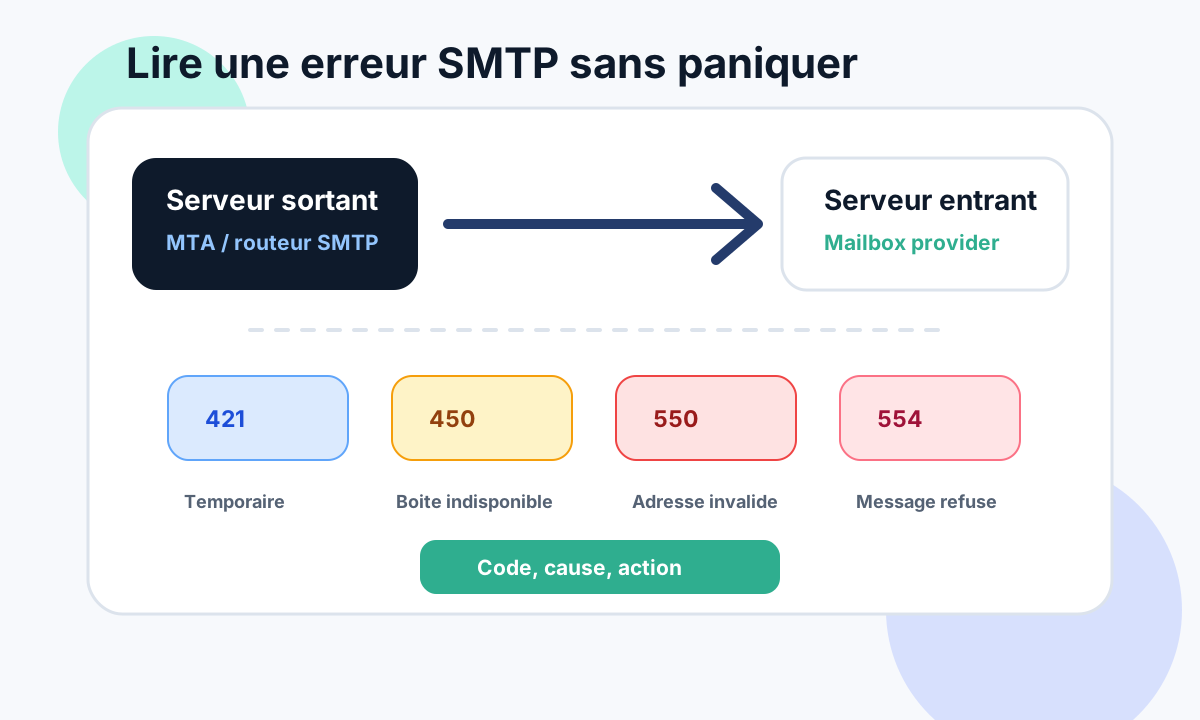
An SMTP error should therefore be read as a diagnostic signal, not as an isolated sentence.
How SMTP codes work
SMTP codes usually have three digits.
The first digit already tells you a lot:
2xx: success, the message was accepted;4xx: temporary failure, the server usually invites a retry;5xx: permanent failure, the message will probably not be accepted without a fix.
In practice, the most important boundary is this:
A
4xxerror often means wait, retry or monitor. A5xxerror almost always means something must be fixed.
Also read the text that comes with the code. Two servers can use the same code with different explanations.
Temporary SMTP errors
Temporary errors mean the receiving server does not accept the message now, but might accept it later.
421: service unavailable
Code 421 often means the remote server is temporarily unavailable, overloaded, under maintenance, or limiting connections.
Common causes:
- receiving server briefly unavailable;
- too many SMTP connections in a short time;
- volume throttling by the provider;
- temporary network or DNS problem;
- sender reputation under watch.
Recommended action: check whether the error affects one domain or several, let SMTP queues retry, then analyse volumes if the problem keeps coming back.
450: mailbox or resource temporarily unavailable
Code 450 often means the recipient mailbox, the domain or a server resource is unavailable at the time of delivery.
It is not necessarily a bad address.
Possible causes:
- mailbox full or temporarily locked;
- receiving server overloaded;
- temporary filtering;
- greylisting;
- local routing problem at the recipient.
Recommended action: watch the following attempts. If the same recipient fails for several days, treat the address as fragile or inactive.
451: local processing error
Code 451 indicates a temporary error while processing the message.
It sometimes comes with messages such as local error in processing, temporary lookup failure or try again later.
Possible causes:
- temporary DNS problem;
- anti-spam filter unavailable;
- internal server error at the recipient;
- SPF, DKIM or DMARC check impossible at that moment.
Recommended action: do not fix too quickly. First confirm that the error repeats and does not come from a short outage at the recipient.
452: insufficient storage or limit reached
Code 452 appears when the server cannot accept the message because a resource is not available.
It can come from a full mailbox, a reached quota or a temporary server limit.
Recommended action: wait for retries, then reduce volume to the affected domain if the problem hits many recipients.
Permanent SMTP errors
5xx errors are more sensitive.
They often mean the message will not be delivered without action: address correction, DNS configuration, authentication, reputation or content.
550: address refused or message rejected
Code 550 is one of the most frequent.
It can mean several things:
- the address does not exist;
- the recipient domain does not exist;
- the recipient is disabled;
- the sender is blocked;
- the message is refused by anti-spam policy;
- SPF, DKIM or DMARC fails;
- reputation is too low.
Common examples:
550 5.1.1 User unknown
550 5.7.1 Message rejected
550 5.7.26 Unauthenticated email from example.com is not accepted
Recommended action: read the text after the code. A 550 5.1.1 usually points to an invalid address. A 550 5.7.1 usually points to a security, reputation or policy refusal.
551: user not local
Code 551 means the recipient is not local to the server that answers.
It may come with a forwarding hint, or appear when the server does not relay the message.
Recommended action: check the address, aliases, forwarding and the exact recipient domain.
552: quota exceeded
Code 552 usually signals a storage or size limit.
It can concern:
- a full mailbox;
- a message that is too large;
- an attachment that is too heavy;
- a limit applied by the receiving server.
Recommended action: reduce the message size if needed, then watch whether the address keeps failing.
553: address or syntax refused
Code 553 is often tied to a malformed address, an invalid domain or a relay rule.
Possible causes:
- wrong recipient address;
- mistyped domain;
- inconsistent SMTP envelope;
- server refusing to relay.
Recommended action: check the exact address, the domain, the MAIL FROM field and the tool that generates the message.
554: transaction failed or message refused
Code 554 is often used for an overall refusal.
It can appear when the server considers the message spam, dangerous, non-compliant or against its policy.
Common causes:
- IP or domain on a blocklist;
- degraded sender reputation;
- content considered suspicious;
- problematic link or attachment;
- missing or inconsistent email authentication;
- strict DMARC policy.
Recommended action: compare errors by recipient domain, check SPF/DKIM/DMARC, inspect the message URLs, then check the reputation of the IP and the domain.
Enhanced status codes
Many servers add a code in the format 5.7.1, 5.1.1 or 4.2.2.
These enhanced codes are valuable.
Some useful examples:
| Enhanced code | Usual reading | Diagnostic lead |
|---|---|---|
5.1.1 |
Unknown address | List cleaning, hard bounce |
5.2.2 |
Mailbox full | Quota, inactive contact |
5.4.1 |
Routing problem | DNS, MX, recipient domain |
5.7.1 |
Policy refusal | Anti-spam, reputation, authentication |
5.7.26 |
Unauthenticated or non-compliant email | SPF, DKIM, DMARC, alignment |
The same code can have nuances at Microsoft, Google, Yahoo or a private server. The right reflex is to keep the full message.
Errors linked to SPF, DKIM and DMARC
Some SMTP errors clearly indicate an authentication problem.
Examples:
SPF fail
DKIM signature did not verify
DMARC policy reject
Unauthenticated email is not accepted
In that case, check:
- the SPF record of the envelope domain;
- the DKIM signature used by the sending platform;
- DMARC alignment with the domain in the
From; - the subdomains used by marketing, CRM or transactional tools;
- forwarding that can break SPF;
- DMARC reports if a policy is already published.
The classic trap is fixing only SPF when the problem comes from DKIM or DMARC alignment. Our DKIM “body hash did not verify” case study shows a typical example.
Errors linked to reputation
Not every SMTP error comes from badly configured DNS.
A server can refuse a message because the reputation of the domain, the IP or the sending tool is degraded.
Signals to watch:
- rising hard bounces;
- spam complaints;
- sends to inactive contacts;
- volume increased too fast;
- very similar content sent in bulk;
- tracked links or unreliable tracking domains;
- an IP shared with other problematic senders.
In that case, the fix is not limited to a DNS record. You often need to reduce volume, clean the list, segment sends and stabilise the signals.
How to diagnose without getting it wrong
Before changing the configuration, gather the facts.
The simple method:
- get the full error message;
- identify the main code:
4xxor5xx; - note the enhanced code:
5.1.1,5.7.1,5.7.26; - note the recipient domain affected;
- check whether the error hits one contact, a whole domain or several providers;
- compare with the sending tool’s SMTP logs;
- check SPF, DKIM, DMARC and DNS only if the message points that way;
- separate invalid addresses from policy refusals.
This discipline avoids useless fixes.
A 550 5.1.1 is not handled like a DMARC problem. A 550 5.7.26 is not handled like a simple invalid address.
Quick reading memo
A practical reading when an error shows up in your logs:
| Code | Probable meaning | First action |
|---|---|---|
421 |
Server unavailable or throttling | Wait, watch the retries |
450 |
Resource temporarily unavailable | Monitor, isolate if repeated |
451 |
Temporary processing error | Check repetition and context |
452 |
Quota or resource limit reached | Wait, check volume |
550 |
Address or message refused | Read the enhanced code and full text |
552 |
Message too large or mailbox full | Reduce size or watch the contact |
553 |
Invalid address or envelope | Check syntax, domain and routing |
554 |
Overall or anti-spam refusal | Check reputation, content and authentication |
Conclusion
An SMTP error is not just a technical message.
It is a lead.
The code gives the family of the problem, the enhanced code refines the diagnosis, and the full text often explains the real cause.
The right approach is to separate temporary from permanent, invalid address from policy refusal, and authentication problems from reputation problems.
Read this way, SMTP errors become far less stressful and much more useful.
If an error is blocking your sending, see Dharmail’s Gmail and Outlook rejection troubleshooting service (page in French).