A useful reminder: Microsoft 365 is not a marketing ESP.
Even if “it sends”, that does not mean Microsoft 365 is designed to run marketing campaigns properly, absorb large lists, handle complaints at scale or protect your main domain from human error.
The point is not that Microsoft 365 sends badly.
The point is simpler: Microsoft 365 is first and foremost a workplace email environment. A marketing ESP is built for marketing use, with unsubscribe handling, segmentation, sending pressure control, ramp-up, bounce management and reputation tools.
Microsoft 365 can send, but it is not the right tool for everything
A tool that can send an email is not necessarily the right channel for every type of sending.
Microsoft documents Exchange Online sending limits and states that customers who need to send legitimate commercial bulk email, such as customer newsletters, should use specialised third-party providers.
Official source: Exchange Online limits, Microsoft Learn.
This is essential for small and mid-sized companies.
When everything leaves from the same domain and the same platform, one bad campaign can affect far more critical flows: business exchanges, invoices, customer replies, support, HR or management.
Microsoft has also added a tenant-wide limit on external recipients, explained in our article on Exchange Online TERRL.
The risks of using the main domain for marketing
The main domain carries the company’s trust.
It is used for human exchanges, signatures, quotes, invoices, contracts and conversations with customers and partners.
If the same domain also sends marketing campaigns to a large list, it absorbs signals of a different nature:
- hard bounces;
- inactive contacts;
- spam complaints;
- poorly handled unsubscribes;
- volume swings;
- campaigns sent too fast;
- segmentation errors;
- a list that is too old or too cold.
Even with SPF, DKIM and DMARC configured, these signals can weigh on reputation.
The problem is not only technical. It is structural.
The clean approach: separate the flows
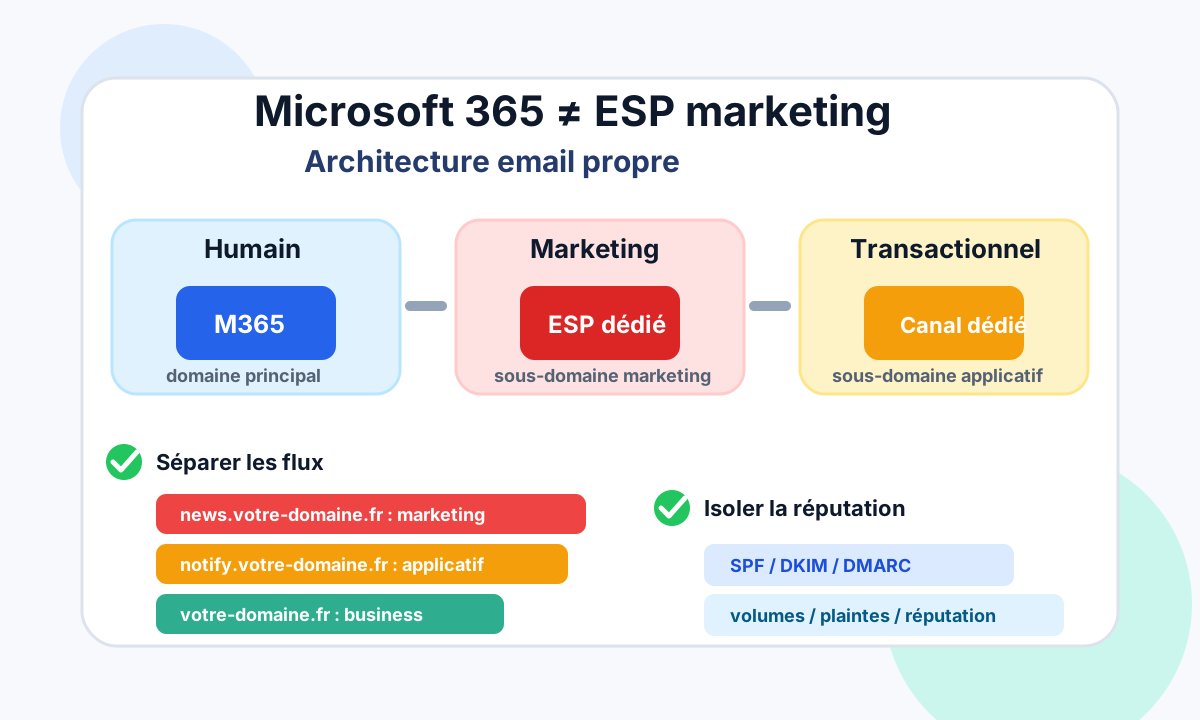
A healthy email architecture starts with a clear separation.
Three families must be distinguished:
- human: Microsoft 365, main domain;
- marketing: dedicated ESP, marketing subdomain;
- transactional or application: dedicated channel, often another subdomain.
This separation makes the system easier to read.
It shows who sends what, from which tool, with which domain, which authentication and which reputation.
Isolate reputation
The goal is not just tidiness.
The goal is to prevent a marketing problem from contaminating critical business email.
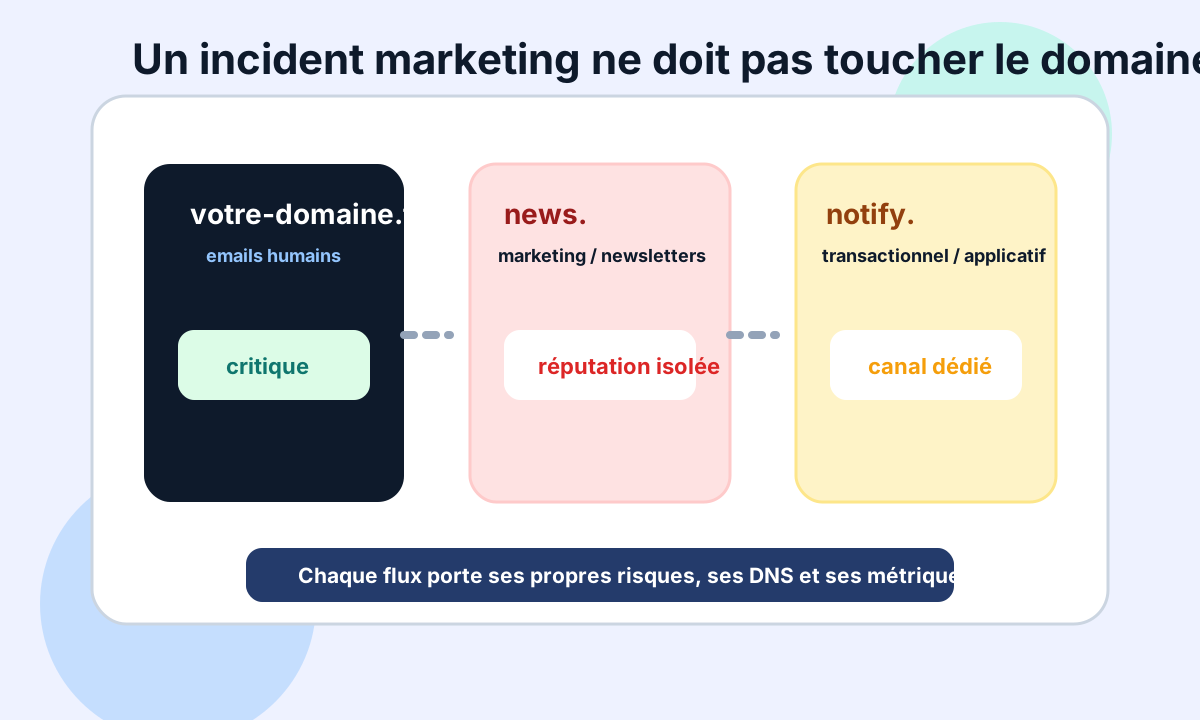
Simple examples:
news.your-domain.comfor marketing;notify.your-domain.comfor applications;your-domain.comkept clean for human and critical exchanges.
With this approach, a campaign that generates too many complaints or bounces first affects the marketing flow, not the main domain directly. Our guide to creating a sending subdomain explains the setup.
It is not an absolute guarantee, but it is a real reduction of risk.
Authenticate and align each flow
Separating flows is not enough.
Each channel must be properly authenticated.
For each subdomain, check:
- SPF consistent with authorised platforms;
- DKIM enabled with the right keys;
- DMARC published and aligned;
- a visible domain consistent with the flow;
- an identified owner;
- a documented sending tool;
- an unsubscribe policy suited to marketing.
Governance matters as much as DNS.
You must be able to answer a simple question: who is allowed to send what, with which domain?
Monitor the signals that matter
A clean architecture must be monitored.
Otherwise it drifts.
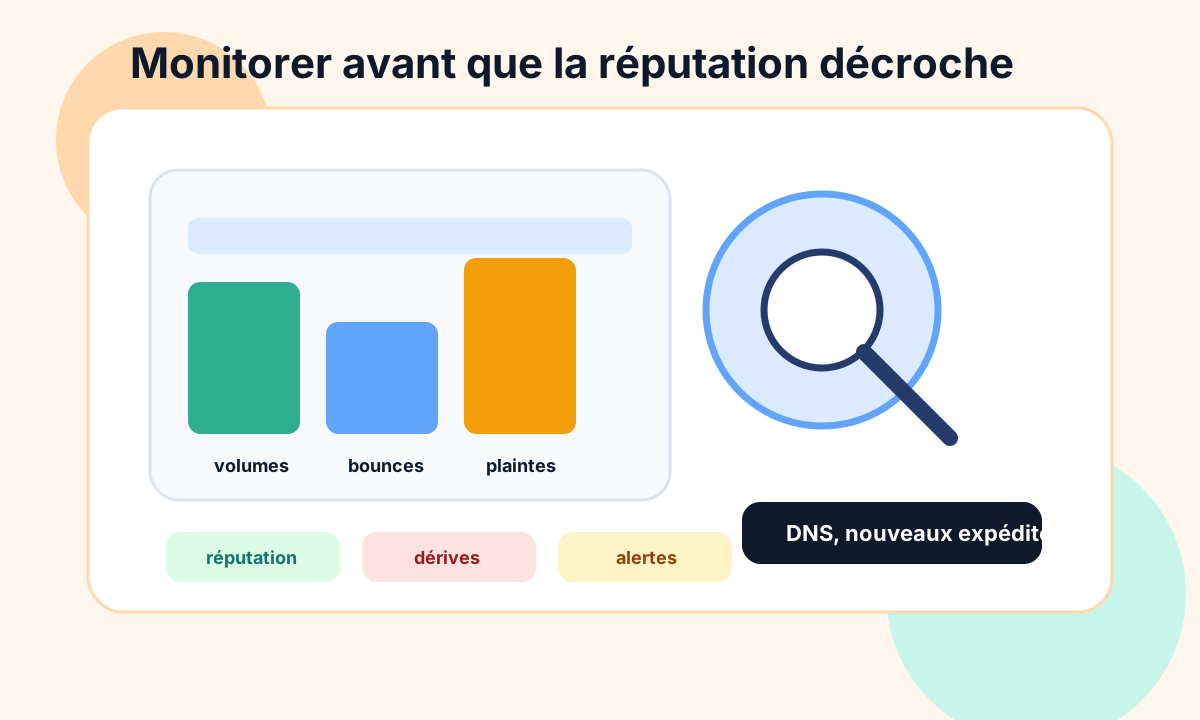
Signals to follow:
- volumes sent;
- hard bounces;
- repeated soft bounces;
- spam complaints;
- domain and IP reputation;
- new senders;
- DNS changes;
- SPF, DKIM and DMARC alignment;
- inactivity rate;
- unsubscribes.
This monitoring catches drift before it becomes a deliverability incident.
The key question
The right question is simple:
Can your marketing flows fail without dragging down your critical flows?
If the answer is no, there is a structural risk.
It means that a poorly targeted campaign, a dirty list or a badly configured marketing tool can hit messages that have nothing to do with marketing.
For a small business, that is often where the real risk lies: everything works, until the day everything becomes linked.
A simple method to restore order
Cleaning up can start without a big project.
A useful method:
- map all sending sources;
- classify flows: human, marketing, transactional, application;
- identify the domains and subdomains used;
- check SPF, DKIM and DMARC for each flow;
- move marketing to a dedicated subdomain;
- isolate transactional email if volume or criticality justifies it;
- document owners;
- monitor volumes, bounces, complaints and reputation.
The goal is not to make the architecture more complex.
The goal is to make risks visible and manageable.
Conclusion
Microsoft 365 is excellent for human exchanges and business email.
But it is not a marketing ESP.
A clean email architecture separates flows, isolates reputation, authenticates each channel and monitors the signals that matter.
The main domain must stay protected for critical business.
Marketing and transactional email deserve their own channels, subdomains and indicators.
To review your flows, see Dharmail’s Microsoft 365 and Google Workspace mail audit (page in French).