Gmail error 550-5.7.25 appears when Gmail refuses a message because of a problem with the PTR record, also called reverse DNS.
It is not a content error, and not necessarily an SPF, DKIM or DMARC error.
It mainly means that the IP address trying to send the email does not have a clear enough DNS identity for Gmail.
What error 550-5.7.25 says
In a Gmail bounce, you often see a message like this:
550-5.7.25 The IP address sending this message does not have a PTR record setup,
or the corresponding forward DNS entry does not point to the sending IP.
The meaning is direct: Gmail looked at the IP address of the server talking to it, then looked up its reverse DNS.
If the PTR is missing, or if the name found does not point back to the same IP, Gmail can block the message.
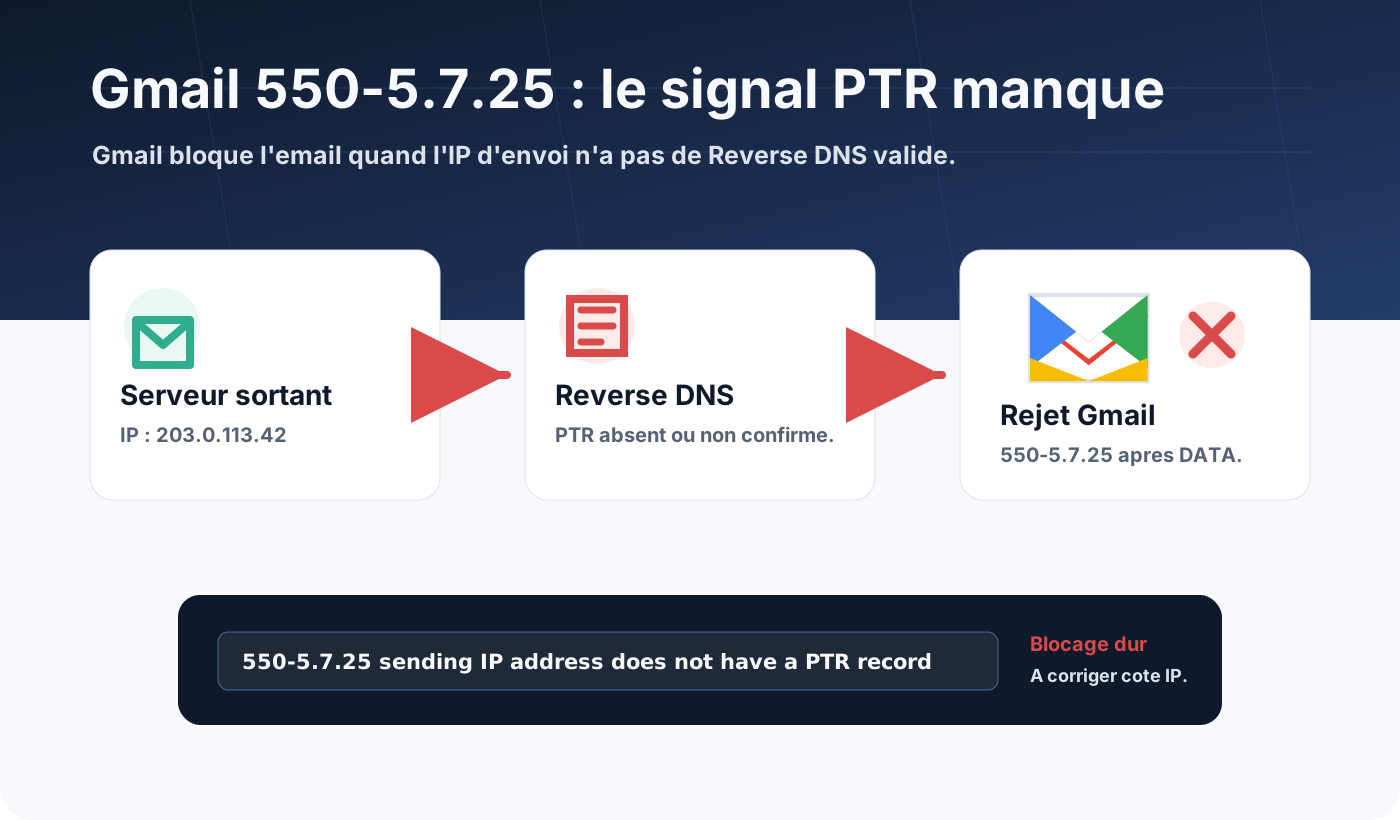
Since Gmail strengthened its sender requirements, sending domains and IPs must have valid forward and reverse DNS records.
For Gmail, an IP without a reliable PTR looks like poorly identified infrastructure. That is a bad signal, even if the message is legitimate.
PTR and reverse DNS: what are we talking about?
Standard DNS answers a simple question:
What is the IP of this server name?
For example:
mail.example.com -> 203.0.113.42Reverse DNS does the opposite:
Which server name matches this IP?
For example:
203.0.113.42 -> mail.example.comThe PTR is the DNS record used for this reverse lookup.
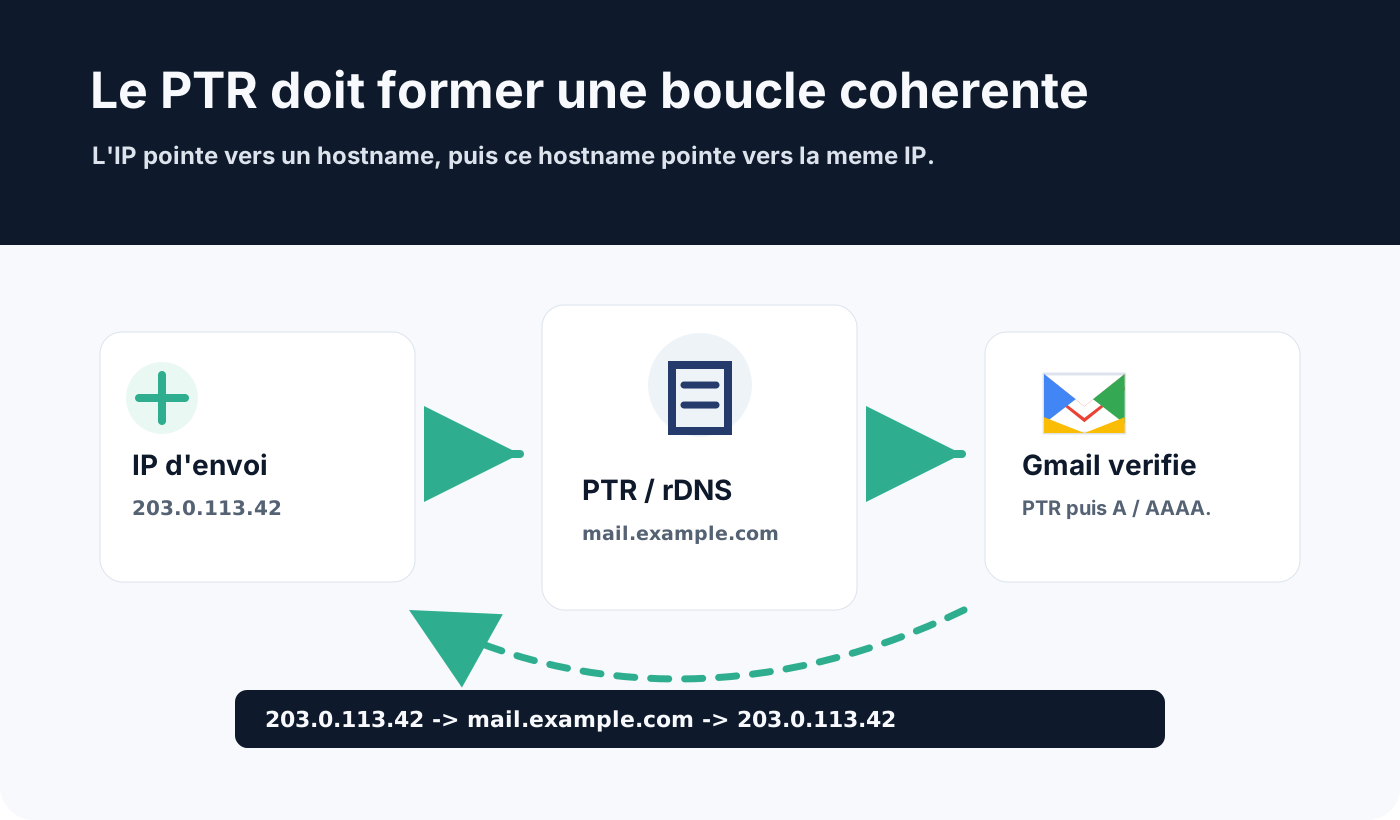
To be consistent, the loop must work both ways:
203.0.113.42 -> mail.example.com
mail.example.com -> 203.0.113.42
This is often called confirmed reverse DNS, or forward-confirmed reverse DNS.
Why Gmail blocks with 550-5.7.25
Gmail receives huge volumes of messages from compromised servers, misconfigured scripts, disposable VPSs and sending infrastructure with no stable identity.
The PTR helps tell a serious mail server from an anonymous IP.
A 550-5.7.25 error can appear if:
- the sending IP has no PTR;
- the PTR points to a generic or wrong name;
- the PTR hostname has no
AorAAAArecord; - the
AorAAAArecord does not point back to the same IP; - email leaves through a different IP than expected;
- the IPv6 address used has no valid reverse DNS;
- the host or carrier has not published the requested PTR.
The key point: the PTR is usually not configured in your domain’s regular DNS zone.
It is configured by the owner of the IP address: hosting provider, carrier, cloud provider, data centre or SMTP platform.
How to diagnose the problem
Start by identifying the exact IP that sends to Gmail.
This IP often appears in the bounce, in SMTP logs, or in the headers of a message delivered to another provider.
Once you know the IP, check the PTR.
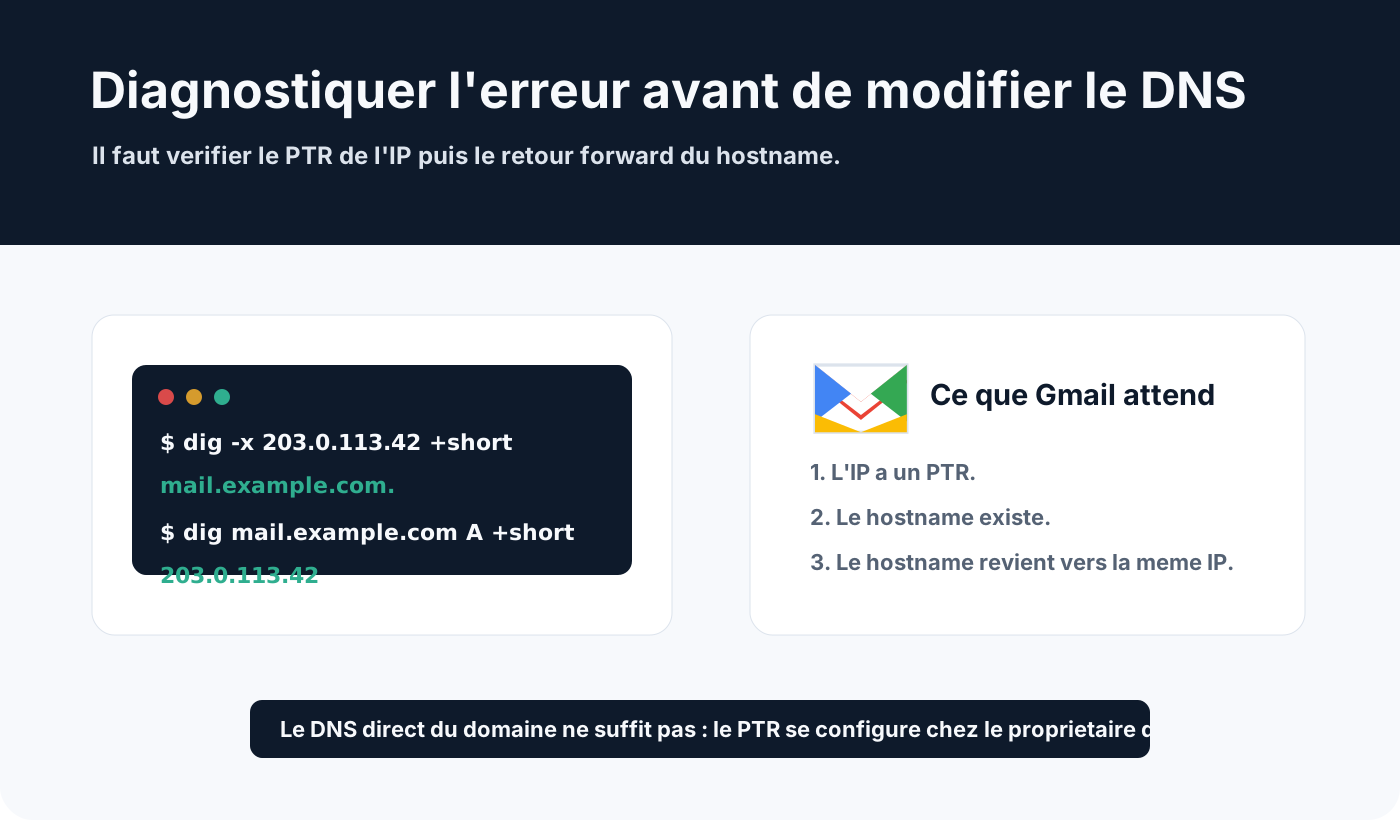
Example with dig:
dig -x 203.0.113.42 +shortExpected result:
mail.example.com.Then check that this name points back to the same IP:
dig mail.example.com A +shortExpected result:
203.0.113.42For IPv6, apply the same logic with AAAA.
If the first test returns nothing, the PTR is missing. If the second returns another IP, forward DNS does not confirm reverse DNS.
How to fix the error
The fix has two parts.
First, configure the IP address’s PTR with the provider that controls that IP.
Then, create or fix the hostname’s A or AAAA record in the domain’s DNS zone.
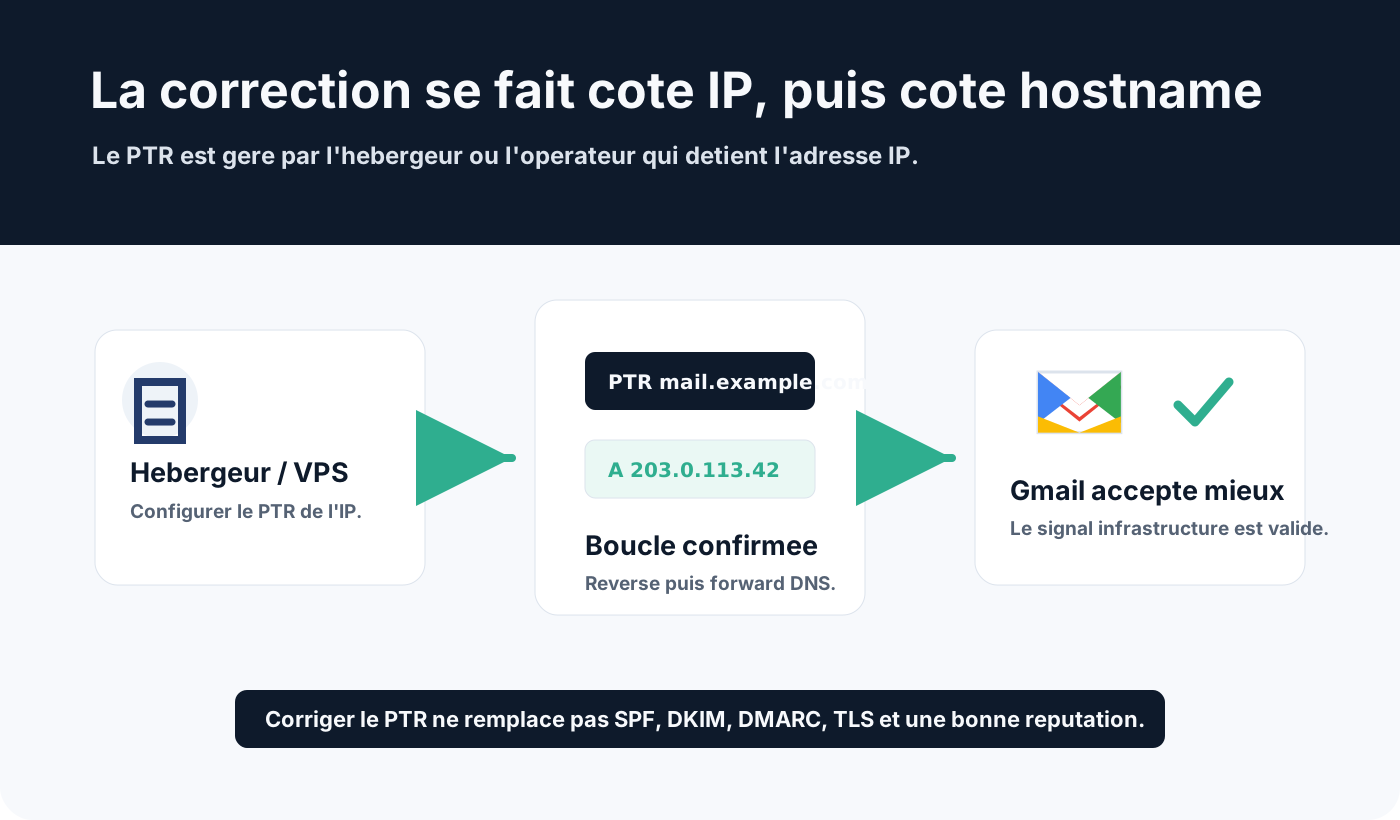
Expected configuration:
PTR of 203.0.113.42 -> mail.example.com
A of mail.example.com -> 203.0.113.42
The chosen name should be stable, credible and consistent with mail use.
Avoid names that are too generic or temporary, such as:
vps-123-45-67-89.provider.example
localhost
server
Prefer a clear name:
mail.example.com
smtp.example.com
mx-out.example.com
Once the fix is published, wait for DNS propagation, then run the tests again.
Watch out for shared IPs
If you send from a shared IP, you often do not control the PTR directly.
That is the case with many SMTP services, marketing platforms, shared hosting and outbound relays.
In that case, ask the provider:
- which IP actually sends to Gmail;
- which PTR is published on that IP;
- whether forward DNS matches;
- whether the IP is shared with other customers;
- whether a dedicated IP is available.
A valid PTR does not guarantee a good reputation. But a missing or inconsistent PTR can be enough to trigger a rejection before Gmail even looks closely at the quality of your campaigns.
PTR, HELO and server name
The PTR is not the only name Gmail can see.
During the SMTP session, your server also announces a name in the EHLO or HELO command.
That name should be consistent with the sending infrastructure.
Example:
EHLO mail.example.comIf your server announces localhost, an internal name or a hostname that does not exist publicly, that adds a negative signal.
The trio to check is:
- the sending IP;
- that IP’s PTR;
- the hostname announced in
EHLOorHELO.
They do not always need to be strictly identical in every architecture, but they must stay consistent, public and verifiable. Spamhaus now goes further and requires this consistency for every sending IP: see our article on the new Spamhaus sender rules.
What the PTR does not fix
Fixing reverse DNS is not enough to guarantee inbox placement.
Error 550-5.7.25 concerns the technical identity of the sending IP.
It does not replace:
- SPF;
- DKIM;
- DMARC;
- TLS;
- a good IP reputation;
- a healthy recipient list;
- gradual sending volume;
- content recipients expect.
After fixing the PTR, Gmail can still filter or refuse messages for other reasons: missing authentication, spam complaints, low reputation, overly abrupt volume, suspicious content or incorrect DMARC alignment.
Quick checklist
To handle a Gmail 550-5.7.25 error, check in this order:
- get the exact IP mentioned in the bounce;
- test the PTR with
dig -x; - test the hostname’s
AorAAAArecord; - check the IP actually used by the outbound server;
- fix the PTR with the host or IP carrier;
- fix the hostname’s forward DNS in your zone;
- check the
EHLOorHELOname; - check SPF, DKIM, DMARC and TLS;
- test again to Gmail after propagation.
If the IP belongs to an external provider, open a ticket with the full bounce. Without access to the IP owner, you usually cannot fix the PTR yourself.
Conclusion
Gmail error 550-5.7.25 is a rejection tied to the sending infrastructure.
It means Gmail cannot properly validate the DNS identity of the IP address sending the message.
The fix is to publish a valid PTR for the IP, then check that the PTR hostname points back to that same IP in forward DNS.
Once this baseline is fixed, continue the full email diagnosis: SPF, DKIM, DMARC, TLS, reputation, volume and recipient quality. Our list of SMTP errors helps with the other codes.
The PTR does not do everything, but without clean reverse DNS, an SMTP server starts with a serious handicap at Gmail.
If the rejection persists, see Dharmail’s deliverability troubleshooting service (page in French).
Useful sources: Gmail SMTP errors and codes and Email sender guidelines.