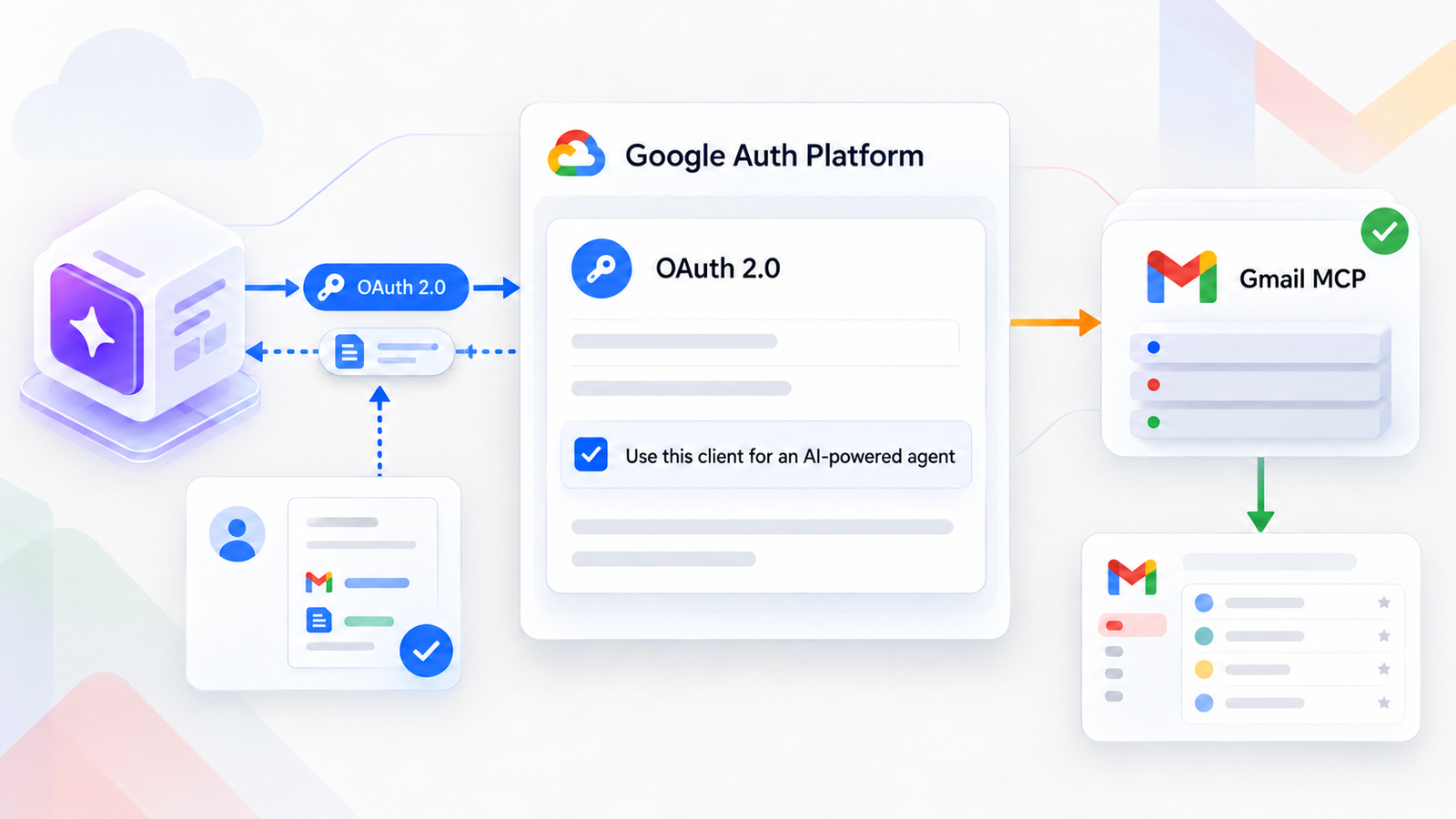
The October 12, 2026 Google Workspace developer release notes introduce a new requirement for OAuth 2.0 clients that call Google’s Model Context Protocol (MCP) servers. For Gmail MCP, the client must have “Use this client for an AI-powered agent” selected in Google Auth Platform > Clients. Starting November 11, 2026, Workspace MCP servers will reject requests from clients that are not marked this way.
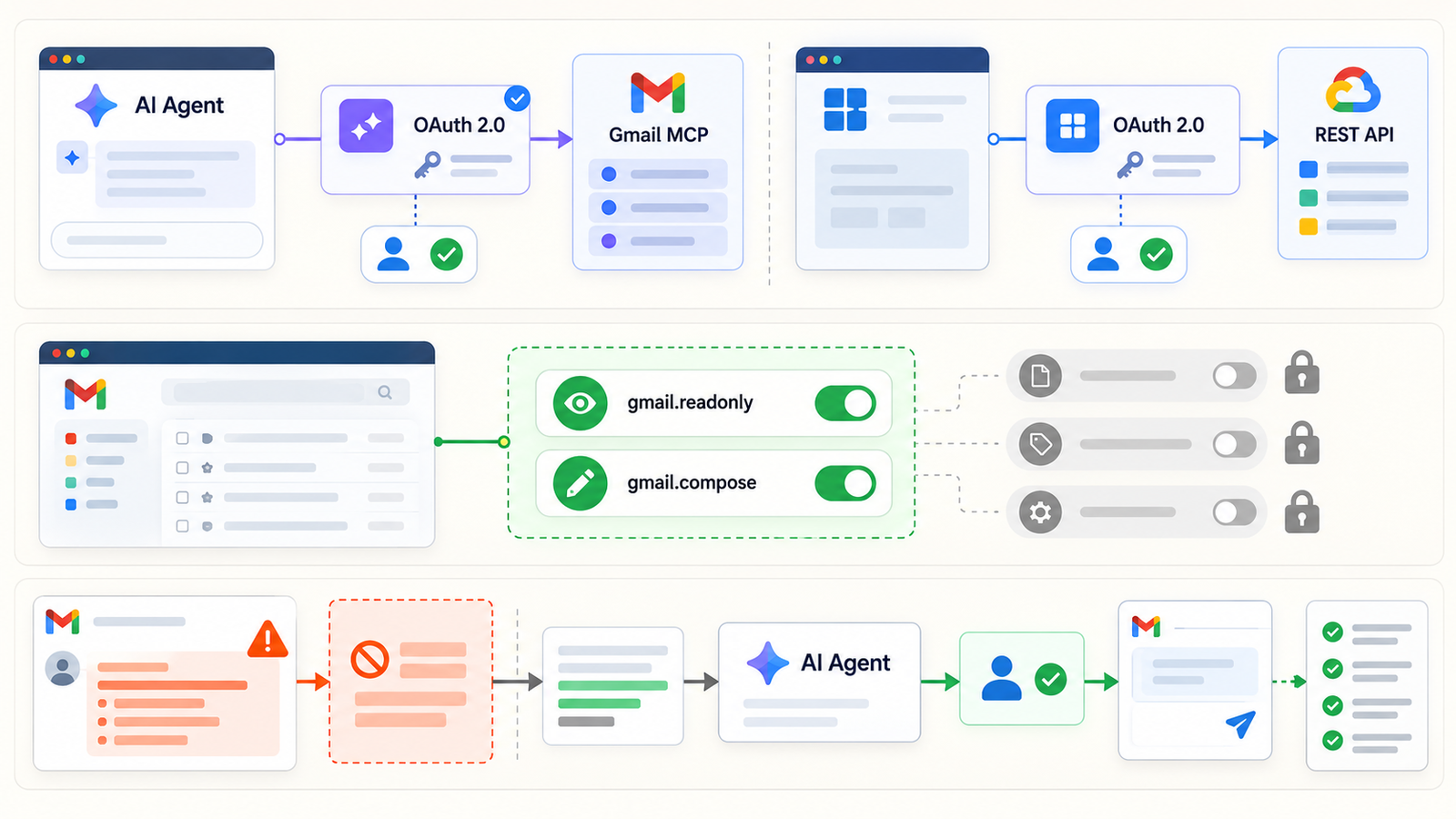
The boundary matters. Google is not blocking every Gmail API integration. A conventional app that only calls Google Workspace REST APIs and is not an AI agent is unaffected by this change. The new check concerns a client used to call an MCP server. Treating it as a universal Gmail API deadline would send teams into unnecessary credential changes and could disrupt unrelated CRM, backup or automation workloads.
The deeper issue: granting an AI agent mailbox access gives it potential exposure to conversations, attachments and third-party identities. OAuth expresses that power. Choosing the mailbox, scopes, tokens and allowed actions is a security decision, not just connector setup.
1. What the October 12 announcement actually requires
Google gives two dates. Beginning November 11, 2026, Workspace MCP servers will reject requests from apps whose OAuth client is not marked as agentic. Clients still unmarked by November 12 will remain non-agentic and cannot call those servers. To use MCP after that point, Google says to create a new marked OAuth client and update the app. Do not make a late edit to an old client the only continuity plan.
The notice covers multiple Workspace MCP servers, including Gmail, Drive, Docs, Sheets, Slides and Calendar. It does not redefine every Workspace integration as an agent. If one product currently uses the same OAuth client for both AI-agent MCP features and conventional features, Google recommends separate clients. Mark only the agent client; retain the existing one for non-agent features.
| Integration | Effect of the new rule | Appropriate action |
|---|---|---|
| Agent calling the Gmail MCP server | Must use a marked OAuth client | Check or create an agentic client before the deadline |
| App using only the Gmail REST API | Unaffected by the new MCP requirement | Keep its existing OAuth controls |
| Product combining MCP agent and normal REST features | Shared client discouraged by Google | Separate the clients and their responsibilities |
| Service account with domain-wide delegation for an API | Different mechanism from this MCP notice | Audit delegated scopes and impersonation separately |
The official Gmail MCP server is in Developer Preview as of this announcement. A new OAuth classification does not make the service generally available. For a production business case, check preview eligibility, support and security terms before promising a deployment.
2. How Gmail MCP gives an agent capabilities
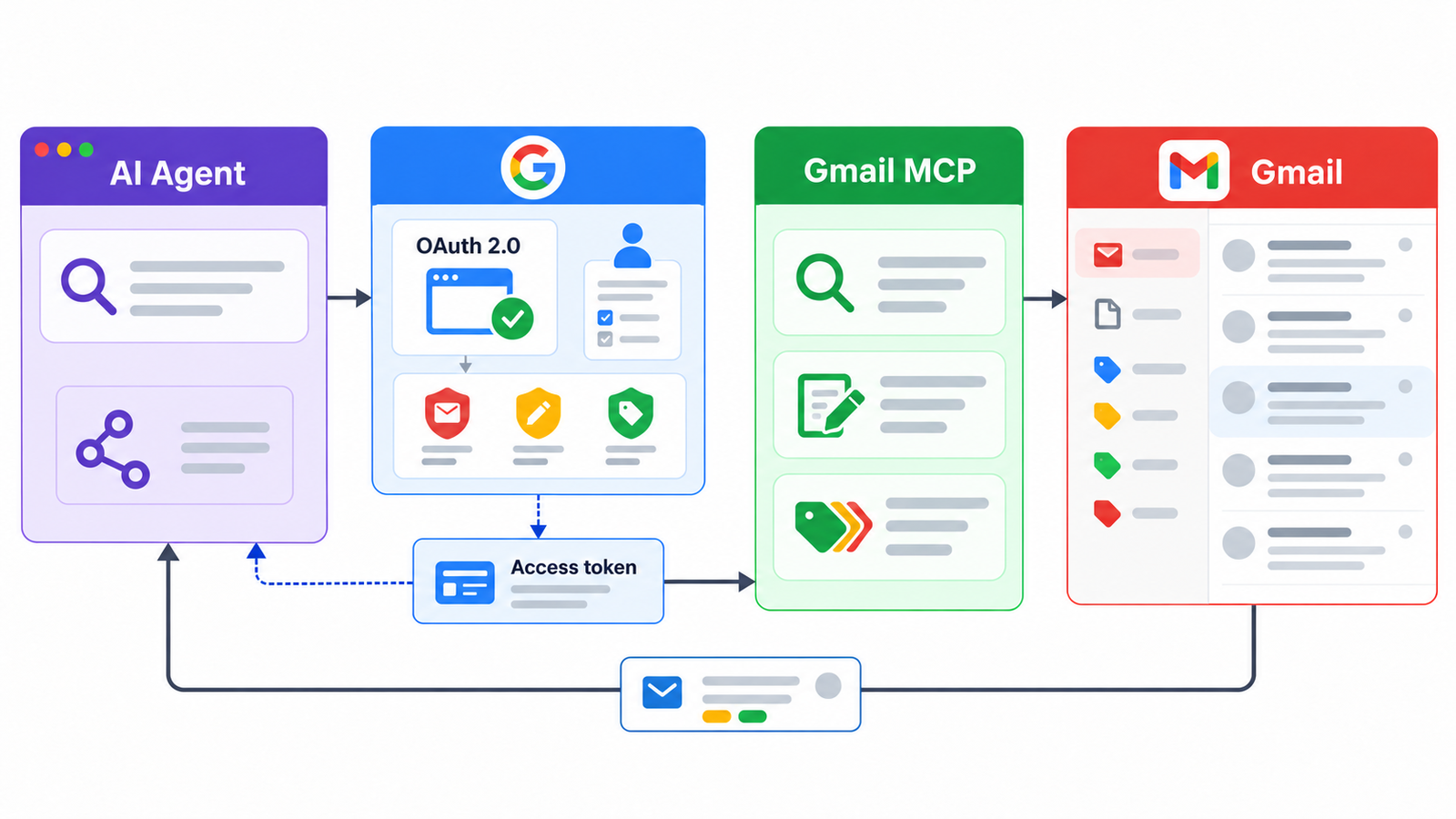
MCP is a standard interface connecting an AI host to a service’s tools. Here, the agent host connects to Google’s remote gmailmcp.googleapis.com endpoint, while OAuth 2.0 authorizes access to a user’s account. The OAuth client identifies the app; consent and scopes define the permissions granted. Marking a client as agentic does not, by itself, grant unlimited Gmail access.
Google’s Gmail MCP tool reference lists thread search, message and thread retrieval, draft and label listing, draft creation, and adding or removing labels. The published list has no direct send or delete tool. That is not a claim that the agent is harmless: reading sensitive mail or changing labels can matter, and the preview toolset may evolve. Review the current list before each rollout.
Separate MCP tools actually exposed from OAuth scopes granted. Google’s configuration example requests gmail.readonly and gmail.compose. Google describes gmail.compose as permission to manage drafts and send email at the Gmail API level, even though the published MCP toolset does not currently include direct sending. A scope is an authorization boundary, not an exact inventory of today’s MCP actions. A security review needs to examine both.
3. Why mailbox access is a major security choice
A mailbox contains more than its owner’s writing: customer requests, personal data, contracts, attachments, password reset messages and conversations with people who never agreed to interact with an agent. Even a read-only agent can move context into another system, depending on the application design. Establish what data reaches the model, where processing happens and how long data is retained.
Incoming email is also untrusted input. A message can carry instructions intended to redirect an agent: “ignore your rules,” “open this URL,” or “copy previous conversations.” Google explicitly warns about indirect prompt injection in its MCP security guidance. Email content must remain data to analyze, never a new administrative instruction.
The “AI-powered agent” setting labels the client for Google’s MCP policy. This external access path differs from built-in Gmail AI Inbox and AI Overviews in Gmail search. It is not a sandbox, a human approval step or a promise against data exfiltration. Protection comes from decisions around mailbox scope, OAuth permissions, tool exposure, input screening, review of actions and the ability to revoke access quickly.
4. OAuth, consent and scopes: where least privilege begins
An OAuth flow has several parts to document separately: client ID identifying the app, client secret for a confidential client, user consent, a short-lived access token and possibly a refresh token for longer access. A client secret is not a standing entitlement to every mailbox. A token embodies authorization for a particular user and set of scopes. Confusing these roles leads to secrets in source repositories or excessive permissions.
The official Gmail scope list distinguishes gmail.metadata (metadata without message bodies), gmail.readonly (read access), gmail.compose (drafts and sending), gmail.send (sending) and gmail.modify (broad read and modification). The https://mail.google.com/ scope is broader still, including permanent deletion; Google recommends it only if immediate permanent deletion is necessary. Several Gmail scopes are classed as restricted and may trigger verification or assessment requirements depending on how the app is distributed.
Least privilege means requesting only the scope needed for a real feature, on only the accounts needed, for only as long as necessary. Does a triage agent need an entire mailbox history, or only threads selected by a user? Could a response assistant create a draft for human approval? If an agent needs only metadata, body-reading access should not be granted for convenience. Check what scopes the chosen MCP tools actually require before claiming a narrower configuration will work.
Google advises separate OAuth clients where a product has both MCP agent and ordinary REST features. Also separate development, test and production clients when those environments use different users and data. Give each project and consent screen a clear owner, use explicit redirect URIs and document who can change the configuration. Separation makes auditing, rotation and revocation easier to reason about and limits configuration mistakes.
5. Secrets, tokens and ongoing access
A client secret belongs in a secret manager or controlled server-side store. Do not leave it in source code, logs or broadly shared agent configuration. For rotation, deploy the replacement value, verify the flow, then remove the old one according to the client’s available controls. Google’s OAuth best practices also require access and refresh tokens to be protected in storage and transit.
A refresh token deserves particular scrutiny because it can obtain new access tokens without immediate user interaction. For the documented Gmail MCP flow, Google says the authorization request needs access_type=offline to obtain one; the OIDC offline_access scope alone is insufficient. Re-consenting may also require prompt=consent. Enable offline access only when the agent genuinely needs to work between user sessions.
Maintain an inventory of tokens by client, user, environment and purpose. On employee departure, compromise or the end of a pilot, revoke authorization and delete stored tokens. Design for an expired or revoked refresh token too: a controlled failure, owner alert and a fresh consent request are better than silent repeated attempts.
Do not treat resetting a client secret and revoking user authorization as interchangeable. They act at different layers. Rehearse the incident procedure end to end: who blocks the client, who removes tokens, how existing sessions are checked, and how legitimate users regain access.
6. Service accounts and domain-wide delegation
An app may use a service account for some Workspace APIs. A service account does not automatically gain access to every user’s Gmail mailbox. With domain-wide delegation, however, an administrator can authorize an application to act on behalf of organization users without each user’s consent. Google’s Workspace credential guidance describes this powerful mechanism. It requires a clear purpose, limited scopes and regular review.
The October 12 notice is about OAuth clients calling Workspace MCP servers. It does not announce a new MCP marking rule for every domain-wide delegation or ordinary REST API call. Moving a REST workflow to a service account merely to avoid the agentic designation can enlarge the blast radius. Record which users may be impersonated, which operations are possible and which administrators can change the delegation.
Do not use an administrator’s personal inbox or an executive mailbox as a casual test account. Choose pilot users with controlled data, then measure the actual permissions needed before production. Giving an agent a person’s mailbox as a makeshift team inbox creates ownership and continuity problems.
7. Audit, logs and revocation
Google suggests investigating Gmail MCP connection failures through OAuth log events in the security investigation tool. Workspace administrators can also control app access to data under Security > Access and data control > API controls. Its admin documentation describes trusted and restricted apps and high-risk Gmail scopes. Availability of some advanced investigation features depends on the Workspace edition.
In the application, log only the information needed for accountability: user, OAuth client, MCP tool invoked, timestamp, outcome, correlation ID and any human approval. Avoid putting full email bodies or tokens into diagnostic logs. The goal is to answer “which agent read this thread?” or “who created this draft?” as far as the architecture’s available logging allows.
Alert on new consents, expanded scopes, unexpected tool calls, unusual read volume and repeated failures. Review dormant clients periodically and revoke those no longer needed. Revocation belongs in a normal project shutdown process, not just the emergency playbook.
8. Checklist before November 11
- Find OAuth clients that actually call Gmail MCP or another Workspace MCP server. Keep ordinary REST integrations outside this change’s scope.
- Check “Use this client for an AI-powered agent” on affected clients. If it cannot be enabled, create a new marked client and migrate before the deadline.
- Split any client shared between agent and non-agent features; retain the current REST client for ordinary functionality.
- Review users, scopes, MCP tools and data paths to the model. Narrow access and require human review for sensitive actions.
- Protect secrets and tokens; test rotation, expiration, revocation and renewed consent.
- Isolate development, test and production with suitable pilot accounts and identifiable logs.
- Test MCP connection, search, read and draft creation as needed, then check OAuth and application logs.
- Document client ownership, user support, periodic access review and an emergency shutoff procedure.
Conclusion
Google’s announced requirement is specific: it identifies OAuth clients using Workspace MCP servers, including Gmail MCP, from November 2026. Conventional apps that only call REST APIs are not subject to this new rule. Where one product does both, Google recommends two distinct OAuth clients.
The larger security task starts there. Giving an agent a mailbox means deciding which conversations it can read, which actions it can prepare and how long it retains that ability. Inventory, minimal scopes, protected tokens, audit and revocation should come before broad rollout. For related mail controls, see Dharmail’s email authentication guide and email audit services.
Sources
- Google Workspace Developer Release Notes, October 12, 2026, Gmail API section.
- Google, “Configure the Gmail MCP server” and MCP tool reference.
- Google, “Choose Gmail API scopes”.
- Google, “Configure security for Google Workspace MCP servers”.
- Google OAuth best practices and Workspace admin app access controls.