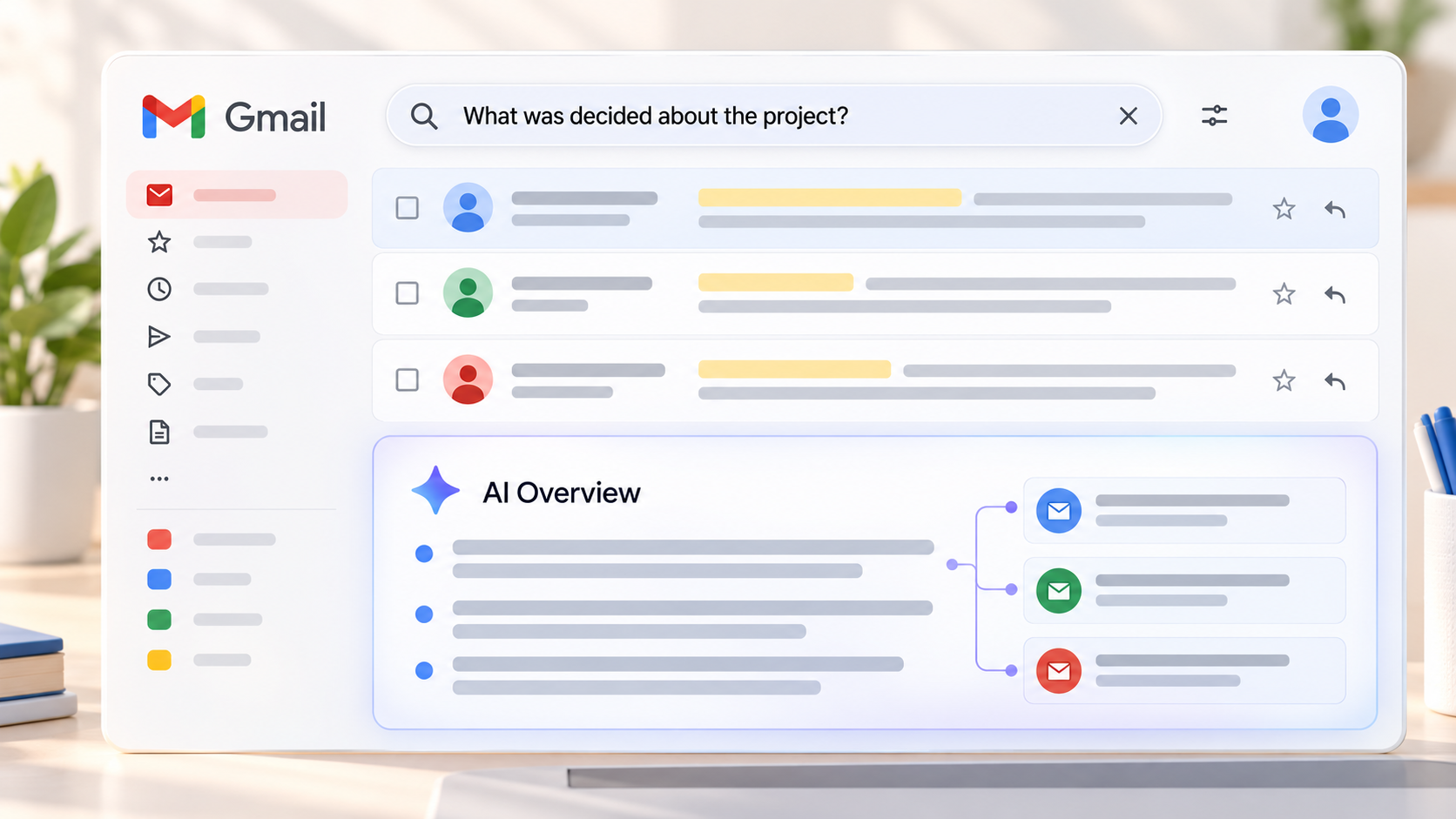
Finding an important business email often means reconstructing a conversation: locating a decision across several threads, checking the latest delivery date or finding a customer’s exact reply. On September 15, 2026, Google Workspace Updates announced that AI Overviews in Gmail search were expanding globally to eligible paid users whose Gmail language is English. Instead of only displaying a list of matching messages, Gmail can present an answer or summary above the results.
This is a change to finding and using information already available in Gmail. It is not a new mail transport rule or an announcement about spam filtering. For business users, the useful question is whether a concise answer helps them work without turning an unverified summary into evidence of a decision that the underlying messages do not support.
The practical rule: an AI Overview can help you locate information. For contractual, financial or investigative decisions, open the source messages and check their authors, dates and full context before acting.
1. How AI Overviews works in Gmail search
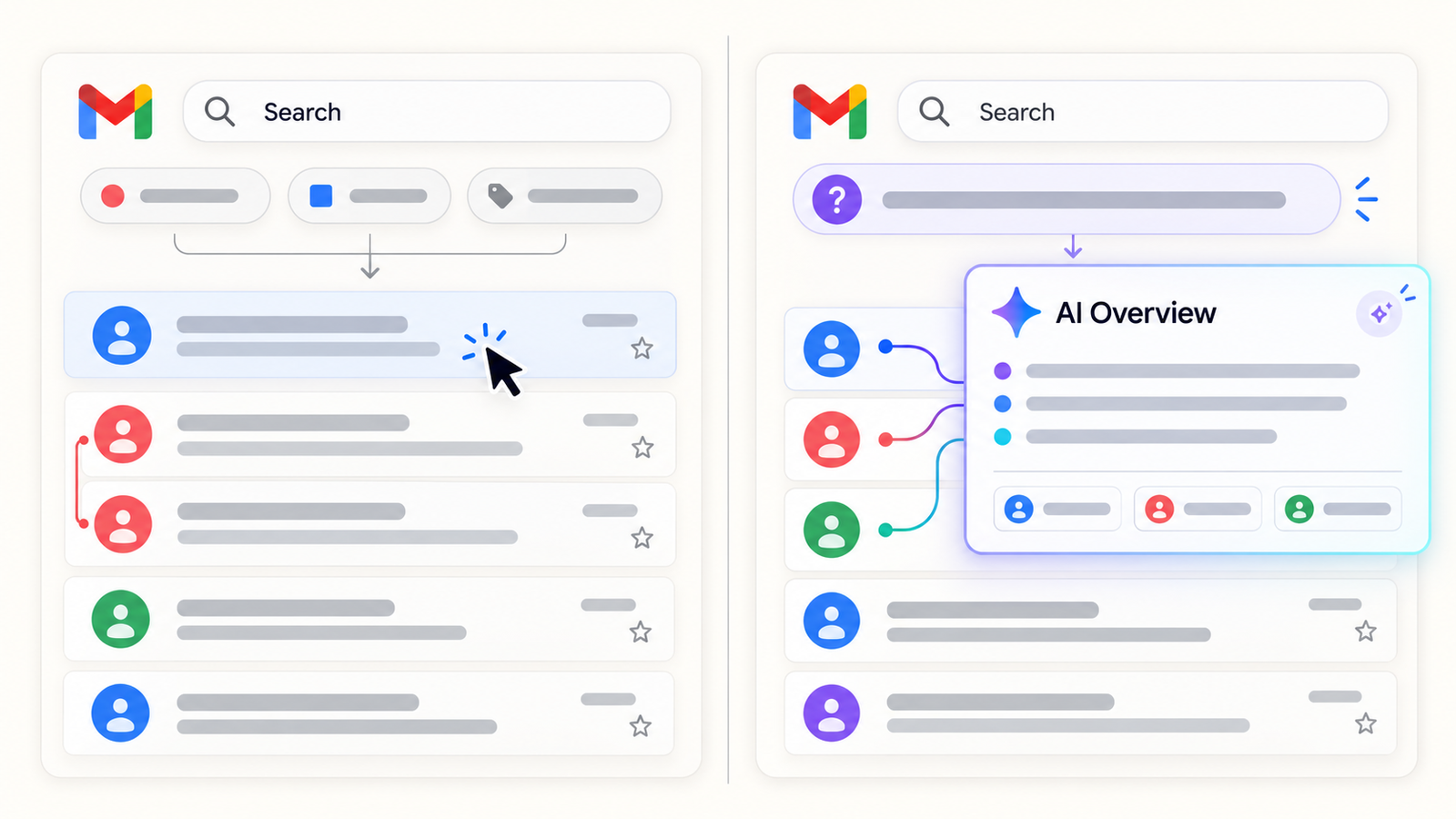
A user enters a natural-language question or descriptive phrase in Gmail’s search bar, such as “Which delivery date did the client confirm?” According to Gmail Help, Gmail first finds relevant emails, then generates an answer or summary from those messages. It appears above the search results and may bring together information spread across several emails. The summary does not become a new authoritative record of the conversation.
Questions about a fact, an update or a particular detail are natural candidates: when a meeting was agreed, what changed during a project, or where a supplier gave a reference number. The value is that the user may not need to open ten separate messages to get oriented. The limitation is equally clear: an early proposed date and a later cancellation can both appear in the same search. A generated answer can omit that distinction. Treat it as an entry point to the sources, especially when several people have revised the plan.
Google says AI Overviews are optimized for natural-language queries. If no overview appears, a more descriptive question may help; its absence does not prove there are no matching emails. The help page also says search operators such as from: and is:unread do not produce an AI Overview. Traditional Gmail search remains useful when an investigator needs repeatable filters by sender, date or message state. The two search styles answer different operational needs.
2. What changes for day-to-day work
A sales representative can check whether a client answered a specific question before a meeting. A project manager can recover decisions across weeks of email. A support analyst can find a reference or earlier description of a fault. The benefit is not new data; it is the ability to connect existing information without knowing the exact subject line or the words used by every correspondent.
That convenience changes reading habits. If the summary sounds confident, the user may skip a caveat, the date on which a statement was made or the person who actually said it. A short “yes” in a complicated thread does not necessarily approve the whole proposal. For contracts, prices, incidents and bank-account changes, the chronology of the original exchange is critical. Ask not only “What did the overview say?” but “Which messages did it rely on, and were they the final version?”
Natural-language search is also not an archive. If messages have been removed under a retention policy, an overview cannot reconstruct an unavailable history. Conversely, if old information remains broadly accessible, it may become easier to discover. Better search therefore brings earlier choices about permissions, copied messages and retention periods into sharper focus. Search quality and information governance are connected, even though the new feature does not itself change retention rules.
3. Availability as of September 20, 2026
Google calls the expansion global, but specifies an important limit: the Gmail language must be English. An eligible Workspace user in France with Gmail set to English may fall within the announced scope; a French-language interface is not included in this update. The help page describes the feature as English only. Geographic rollout and language support should not be conflated.
The announcement lists Business Starter, Standard and Plus; Enterprise Starter, Standard and Plus; Frontline Plus; Google AI Pro for Education; and AI Expanded Access, along with qualifying personal Google AI plans under their own restrictions. A consumer account is not evidence that a company’s Workspace edition is eligible. Nor does a qualifying plan guarantee immediate visibility while the rollout is still in progress.
For Rapid Release domains, a gradual rollout began on September 3, 2026, with up to fifteen days for feature visibility. For Scheduled Release, Google’s full rollout is due to begin on September 21, 2026, over one to three days. On this article’s publication date, that Scheduled Release phase has not begun. An administrator testing on September 20 should not infer a licensing failure merely because a Scheduled Release user sees no overview.
4. Workspace Intelligence and Smart Features
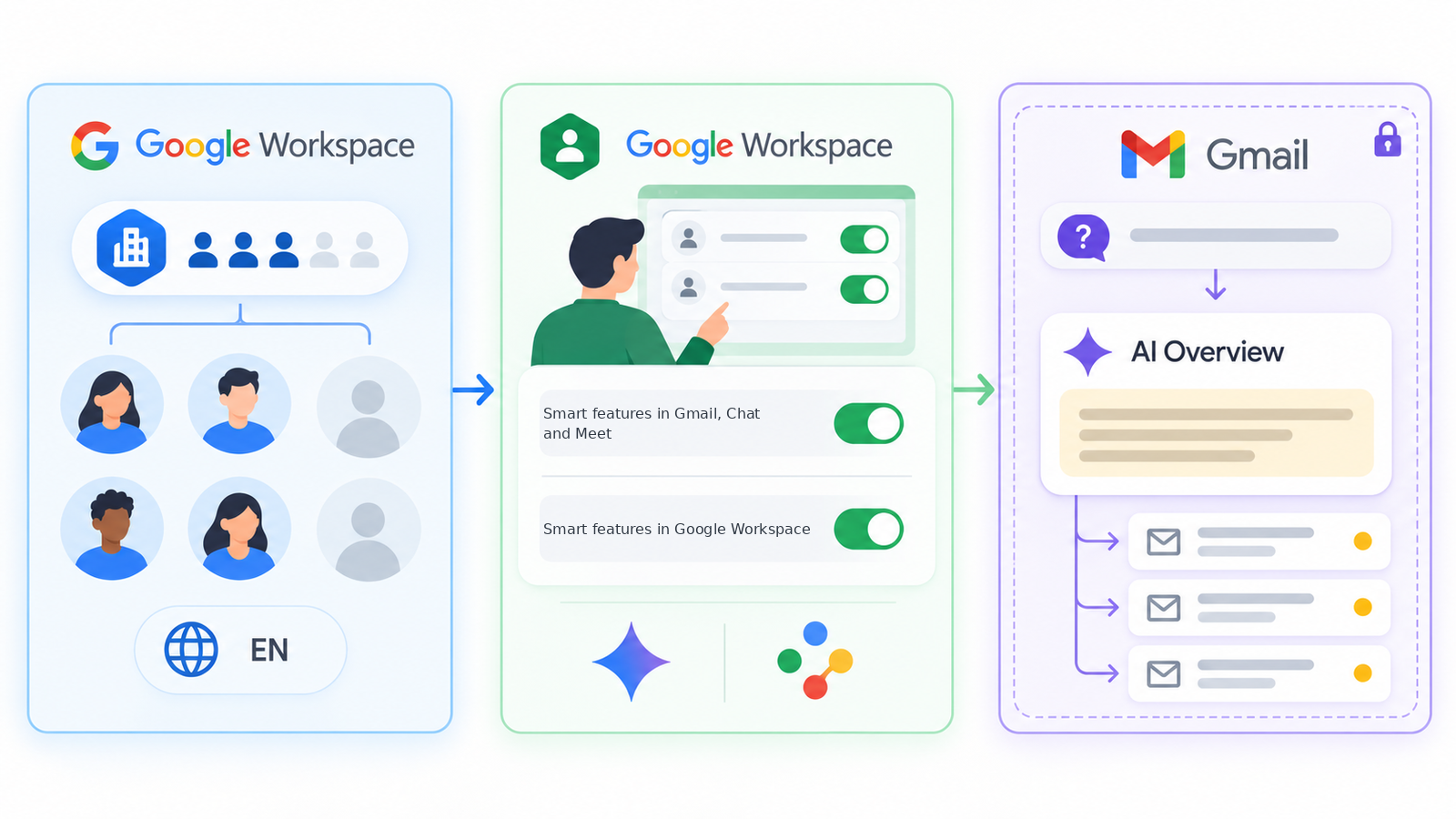
Google says AI Overviews in Gmail search will be on by default when Gemini for Workspace in Gmail and Workspace Intelligence access to Gmail are enabled by the administrator. Workspace Intelligence lets generative features consult Workspace sources to provide context. Access to Gmail is therefore an important part of the effective setup; a generic statement that “Gemini is enabled” does not fully describe what this search experience can use.
Users also need two smart feature settings enabled: “Smart features in Gmail, Chat, and Meet” and “Google Workspace smart features.” They govern different experiences and should be inspected separately. Turning off smart features to remove AI Overviews can also disable other Workspace functions. Before recommending a broad switch-off, administrators should explain that effect and identify the precise business requirement.
The actual eligibility check is an intersection of edition, rollout, English Gmail language, administrator feature and data-source settings, and both user smart feature settings. If any part is missing, the experience may not appear. Google’s Workspace Intelligence control documentation describes how administrators can manage the sources used by generative features. Test the effective configuration in the organization’s own tenant rather than relying on a licensing label alone.
5. Privacy and discoverability
Google describes AI Overviews as grounded in messages the user can access. Its Workspace data-access explanation says Gemini respects user-level permissions and distinguishes a user’s own Gmail messages from messages available only through delegated inbox access. AI Overviews should therefore not be described as a way to search every corporate mailbox by default.
The governance risk is often not a newly granted permission. It is faster discovery within an existing permission boundary. A broadly accessible group inbox, historical forwards or a long retention period may expose HR, financial or personal details that employees rarely found through manual search. Better search makes permission reviews more valuable. It does not repair an overbroad audience or decide whether old copies should still exist.
Google publishes privacy commitments for Gemini in Workspace, including its statement that Workspace content is not used to train generative models outside Workspace without permission. This does not replace a local review of data classification, enabled services and third-party tools. AI Overviews inside Gmail should also be distinguished from copying an email into a separate assistant or service, which can involve different terms and controls.
6. Retention, compliance and quality of evidence
A generated summary is not the original record. For an audit, legal request or incident investigation, separate the source email, its metadata and complete thread from the generated interpretation. If an overview says a supplier accepted a condition, open the relevant message: who sent it, to whom, when, and was it a firm agreement or a tentative suggestion? A screenshot of the answer is a poor substitute for that check.
Retention policies and eDiscovery tools need their own review. Google’s September announcement does not say AI Overviews changes Gmail retention or Google Vault. It also does not promise that an overview is retained as an official decision record. An organization with regulatory duties should define which originals must be preserved, how investigators retrieve them and whether employees have copied generated text into a ticket, CRM or report. That copied text may acquire a separate lifecycle under the organization’s policies.
Search may expose real contradictions between messages. That can help a user notice that an old instruction was corrected later. The failure mode is to choose the simplest wording rather than the last approved version. For structured decisions, identify an authoritative source such as a signed contract, closed ticket, maintained knowledge base or change record. Email can explain the history; an AI synopsis should not silently become the official register.
7. What this does not change for deliverability
AI Overviews runs when a user searches messages in Gmail. This differs from Gmail AI Inbox, which presents inbox priorities and topics without being triggered by a search. The September 15 announcement does not describe a change to SMTP delivery, spam filtering or inbox-versus-spam placement. It provides no evidence that emails sent to Gmail domains will be more or less likely to land in the inbox.
A search that fails to surface a message is not, by itself, a deliverability diagnosis. The message may have been deleted, be part of a different conversation, be unavailable to the searching account, or the query may simply not produce a generated overview. Conversely, an overview highlighting an old message does not mean future mail from that sender will get better inbox placement. To investigate delivery and placement, examine sending logs, SMTP errors, authentication and appropriate test mailboxes. Our guide to Gmail spam and Promotions placement covers that separate question.
8. A practical method for users and admins
- Check eligibility: edition, Rapid or Scheduled Release, Gmail language, admin controls and both smart feature settings.
- Test known-answer questions: start with short threads, then complex ones; compare every overview with its source messages.
- Keep classic search skills: use operators, dates and senders when a repeatable, exact investigation matters.
- Define acceptable uses: meeting preparation and orientation are reasonable; treating a summary as sole proof of an agreement is not.
- Review access and retention: examine sensitive inboxes, delegated access and historical forwarding under internal policy.
- Teach source verification: identify the author and date, read the full thread, and distinguish proposals from decisions or reversals.
- Document controls: name the setting owner, pilot groups, smart-feature changes and a way to report misleading answers.
A pilot should include users, administrators and data owners. Users spot failures of meaning; administrators check feature access; data owners know which information needs extra validation. Assess the outcome by whether people make better decisions with less search effort, not merely by how quickly an answer appears.
Conclusion
Gmail AI Overviews makes email search feel more like asking a question of a personal corpus: Gmail finds messages, then builds a short answer from them. That can save time when information is scattered. The governing rule remains straightforward: verify source messages before acting, and manage the permissions to the data that better search makes easier to discover.
The September 2026 expansion is conditional on edition, rollout, English Gmail language and Workspace settings. It announces no deliverability change. If your team needs to review messaging governance or distinguish search issues from delivery problems, Dharmail can help with an audit.
Sources
- Google Workspace Updates, “Gmail Search’s AI Overviews now available globally,” September 15, 2026.
- Google Gmail Help, “Get an AI Overview in Gmail search”.
- Google Gmail Help, “Learn about smart features & controls for Google Workspace & other Google products”.
- Google Workspace Help, “Control Workspace Intelligence for generative AI features”.
- Google Workspace Learning Center, “What controls Gemini’s access to Workspace data”.
- Google Gmail Help, “Learn how Gemini in Gmail, Calendar, Chat, Docs, Drive, Sheets, Slides, Meet & Vids protects your data”.