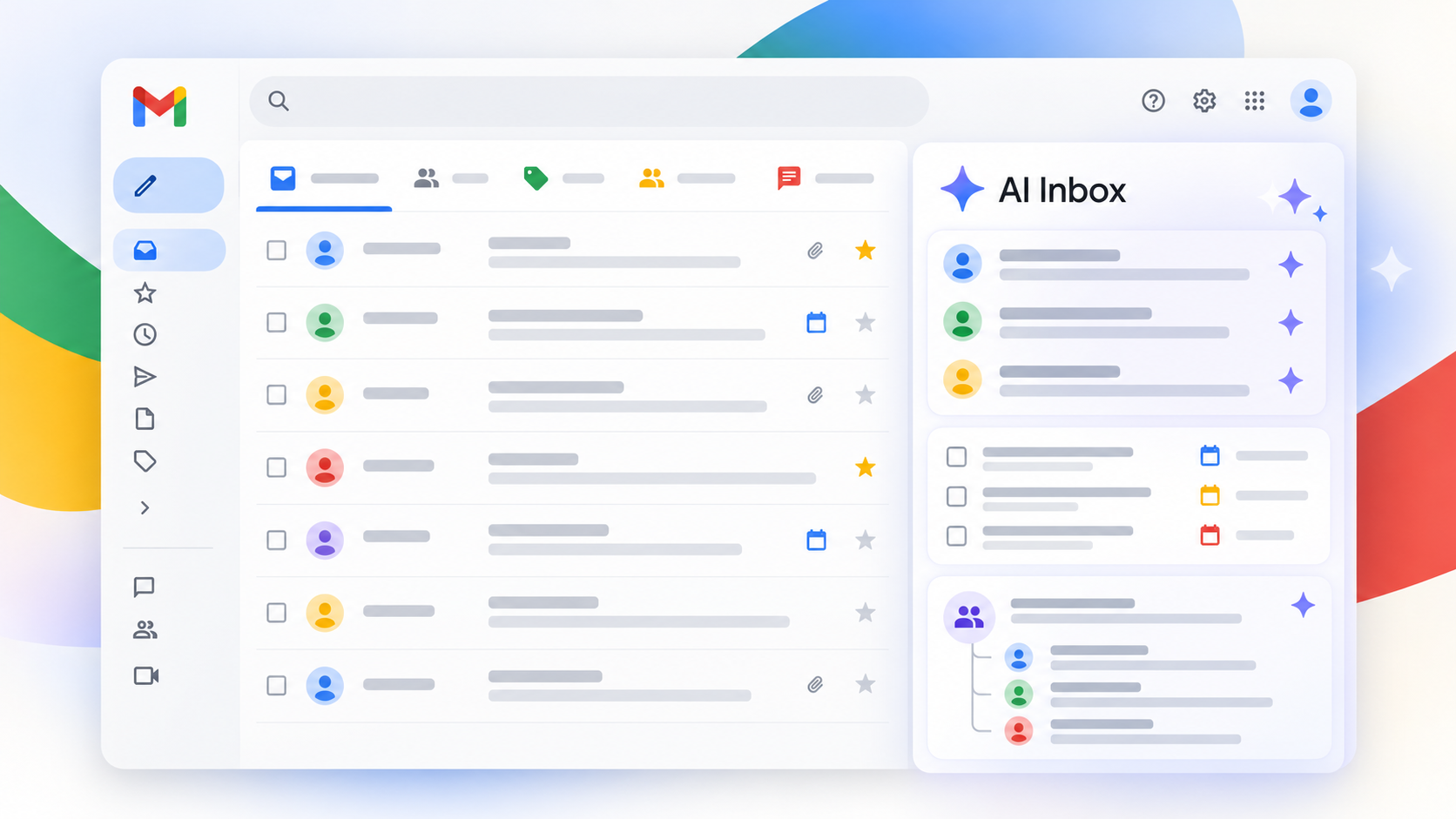
On October 15, 2026, Google announced that Gmail AI Inbox was expanding to eligible paid Google Workspace users. The view offers “Suggested to-dos” drawn from conversations and “Topics to catch up on” that summarize significant threads. It is designed to surface work that needs action or a quick briefing. For senders, it raises a fair question: can a message reach Gmail successfully, yet be absent from the new view where a recipient may focus attention?
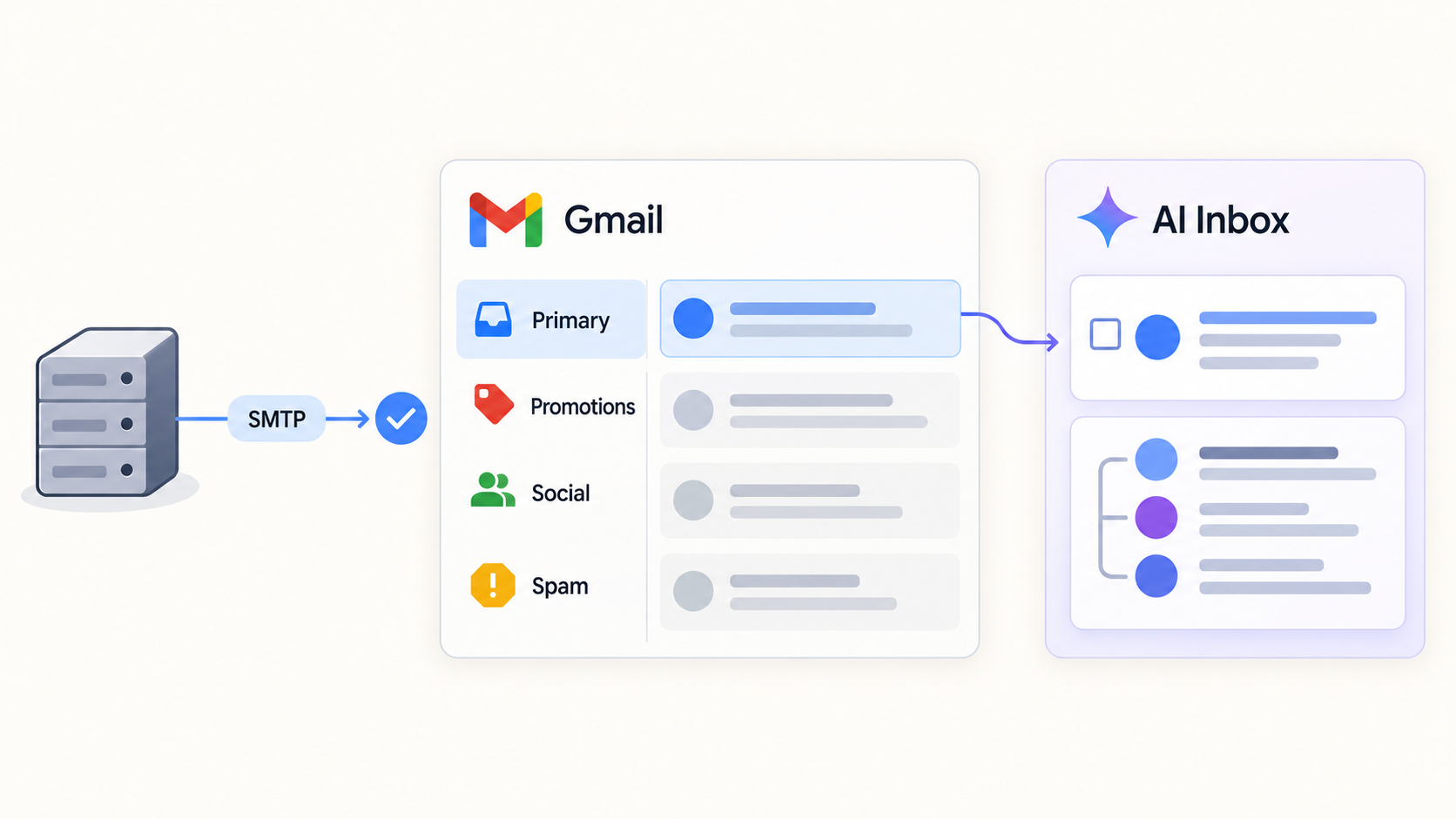
Answering it requires five separate stages: SMTP acceptance, placement in Gmail, prominence in the interface, AI summarization and human engagement. Google’s October 15 Workspace announcement describes an interface feature. It does not announce a new spam-filtering algorithm or SMTP delivery rule. Google’s AI Inbox help page, however, documents several boundaries that matter for visibility.
The key distinction: a message can be accepted, land in Primary, and still not appear among the items AI Inbox highlights. Google documents some sources and exclusions for the view, but does not publish its full selection logic. Absence from AI Inbox alone proves neither an SMTP rejection, spam placement nor lack of recipient interest.
1. What Google has announced
Suggested to-dos extracts action items, deliverables and deadlines from email conversations. A user can open the related message, reply or mark a task done. Topics to catch up on summarizes important projects and conversations across multiple messages so people can see recent decisions and status changes. AI Inbox is a work view over existing mail, not a new delivery protocol.
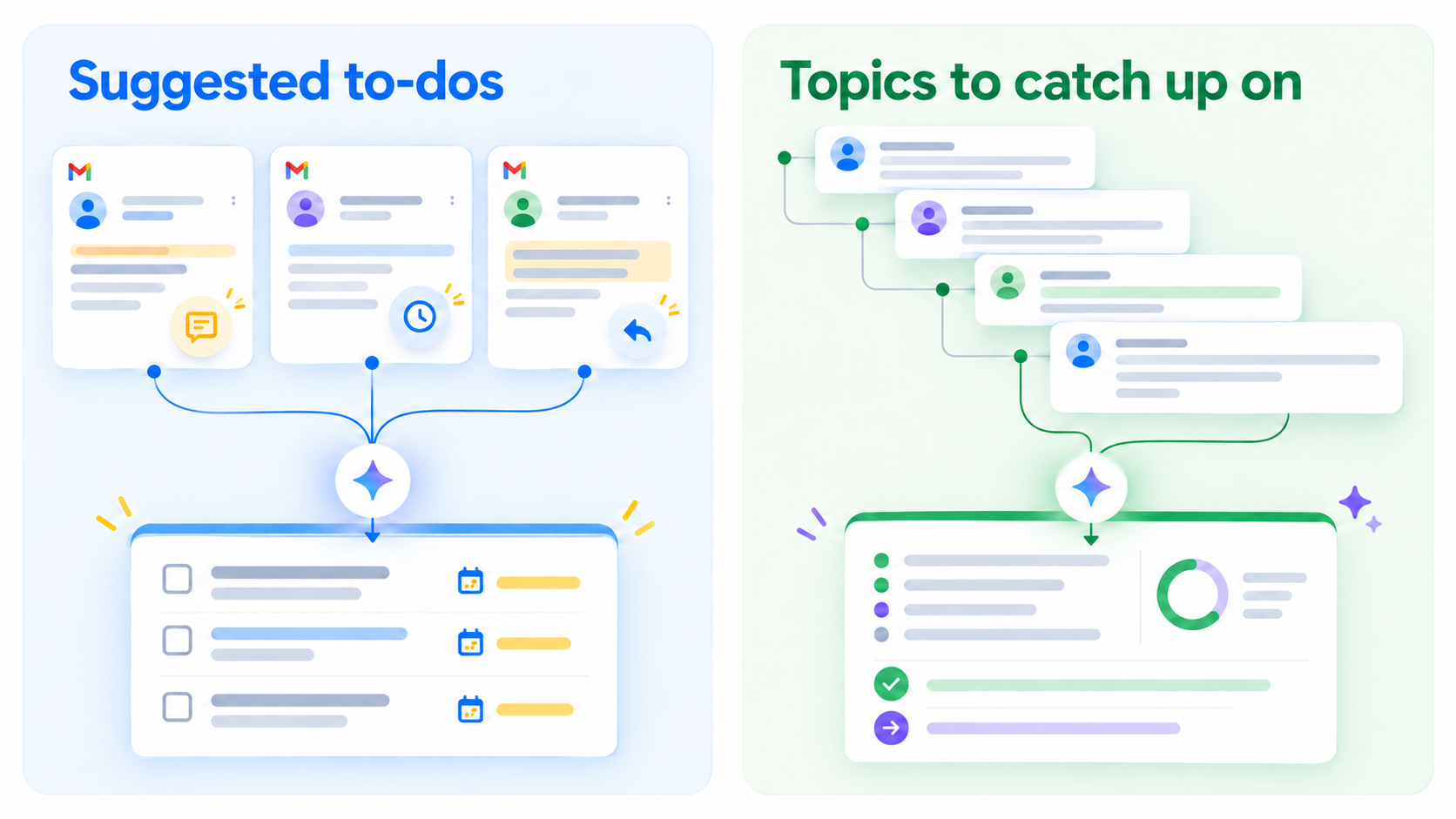
This can help a recipient confronted with a lengthy thread that contains one decision and a deadline. It may also change where that person starts reading: a summary rather than a chronological message list. That observation does not justify claiming a universal decline in campaign visibility or a single “AI ranking score” for senders. Different users can use different Gmail views.
Google says AI Inbox is in beta and may change. Users can show or hide it on desktop. The Workspace announcement says there is no admin control specific to the feature. The user must have relevant Workspace smart features enabled; Google Help says the first to-dos and topics may take up to seven days to appear after activation. An empty view on day one is not evidence that an email failed to arrive.
2. Who can actually see AI Inbox now?
As of October 17, 2026, the announcement lists Business Starter, Standard and Plus; Enterprise Starter, Standard and Plus; AI Pro for Education; and Frontline Plus. It also says rollout to Starter and Education editions will come “in the coming months.” Read those statements together: being on the eligibility list does not mean every user in those editions can open the feature immediately.
The current location and language restriction is explicit: users in the United States with EN-US selected. A French Workspace mailbox is therefore not a valid negative test for a feature that has not been announced for that location and language. Google gives no French or wider international launch date in this update.
For Rapid Release domains, a gradual rollout of up to 15 days for feature visibility started on October 12, 2026. The equivalent Scheduled Release rollout starts on October 26, 2026. These windows describe availability of the feature to users; they do not guarantee that a particular email will be highlighted within 15 days.
3. Delivery, placement, visibility, summary and engagement
| Stage | Question to answer | What success means | What it does not prove |
|---|---|---|---|
| SMTP delivery | Did Gmail’s receiving server accept the message? | The recipient provider took responsibility for it | That it is in Primary or has been read |
| Placement | Did Gmail put it in Primary, Promotions, Spam or elsewhere? | It is available in the observed category | That AI Inbox will select it |
| AI Inbox visibility | Was the message surfaced as a task or topic? | The view highlighted information from it | That every recipient sees the same item |
| AI summary | Did the recap preserve the important facts? | Some content is represented in a summary | That the full message was opened |
| Engagement | Did the recipient read, reply or act? | A human action occurred | That AI Inbox alone caused it |
This chain prevents a common diagnostic error. A successful SMTP response from Gmail can be followed by spam or Promotions placement. A message in Primary can still be absent from AI Inbox. A summary can convey the main point without a traditional message open. Each stage needs different evidence, and a sender’s delivery dashboard generally cannot report an individual recipient’s AI Inbox selection.
Google’s email sender guidelines remain relevant to acceptance and placement: appropriate SPF, DKIM and DMARC, healthy infrastructure, low complaint rates and proper subscription practices. They do not publish a new “AI Inbox optimization” rule. Fixing a rejection or spam placement is deliverability work; understanding whether a task appears in a user’s summary is an interface and usage question.
4. What AI Inbox includes and excludes
Google Help draws an unusually useful boundary: AI Inbox surfaces information only from messages in the “Primary” tab. Other tabs, such as Promotions and Social, are not sources for this view. It also filters out Spam, plus messages a user archives, deletes, mutes or snoozes. Google’s documented feature does not support attachments, delegated inboxes or encrypted emails.
An email in Promotions can therefore have been successfully delivered to the Gmail account while contributing nothing to AI Inbox. The message has not vanished; it remains available in its category according to Gmail’s settings. Likewise, if a bill’s only actionable detail is buried in an attached PDF, do not assume AI Inbox can extract it from that attachment. This does not mean Gmail ignores every bill; body content and other Gmail features are separate questions.
Google also says suggested to-dos or topics can be generated without being displayed in the main view. A “View all” link on the web exposes more items. “Not shown on the first screen” and “not detected” are thus not equivalent. The announcement offers no guarantee that a particular email will be included or any public method to calculate its position.
The Primary-tab prerequisite makes the analysis more concrete than speculation about AI. Before asking why a message was not summarized, establish which tab it reached, whether the user archived or snoozed it, and whether AI Inbox was enabled and populated. Even that may not explain the final selection because Google has not disclosed all of its criteria.
5. Can a correctly delivered email become less visible?
Yes in the sense of attention within one interface, in certain circumstances; no in the sense of a delivery failure. An accepted, searchable Gmail message need not appear in the short list of tasks and topics AI Inbox highlights. The documented exclusions establish this for other tabs and message states. Even within Primary, a view that highlights selected items is not an exhaustive list of every message. The exact selection logic is unknown.
“Less visible” also needs a reference point: where, to whom, and compared with which interface? Someone who starts the morning in AI Inbox may see a task extracted from one thread and overlook another message. Someone else may keep browsing the standard inbox or search for a sender directly. AI Inbox adds a path to information; it does not necessarily replace the message list for every user.
It is plausible that some correctly placed Primary messages will receive less attention in the summary view than others. That is not evidence of a measured drop in open rates, a domain reputation change or a new SMTP sorting algorithm. Google has not published an effect size for external senders’ engagement in the materials cited here.
6. Better subjects and clearer messages, without gaming AI
A clear subject tells a person what is at stake before opening a message, regardless of whether they encounter it in a normal list or another view. “October 22 appointment: confirmation needed” conveys more than “Important!” This is communication hygiene, not a formula for gaining a place in AI Inbox.
Put the action, deadline and context in the body in ordinary language. A long promotional preamble before the only meaningful request makes human reading harder. A simple structure—context, decision needed, date, reply or link—also helps someone verify a summary. Do not bury the only operational information in an image or attachment, especially when Google says AI Inbox does not support attachments.
Conversation structure matters to human comprehension. AI Inbox summarizes threads and topics, so keep a thread for the same request and start a new one for a different case. A recognizable sender and coherent replies help people follow the work. Google does not say this earns a measurable bonus in AI Inbox. Avoid claims about magic “AI keywords” or subject lines designed to force selection.
Real relevance matters most. Send to people who need the message, at a useful time, with an honest level of urgency. Artificial deadlines, repeated reminders or impersonation to attract an AI summary would erode trust and could increase complaints. Our guides to B2B list quality and why mail lands in spam or Gmail Promotions cover concrete causes of poor performance.
7. Engagement and recognized senders: distinguish existing Gmail features
Gmail already has features that use behavioral signals. Its importance marker documentation mentions people a user corresponds with, message opens, replies, keywords and actions such as starring or archiving. Those are documented signals for Gmail’s importance markers, not a published formula for AI Inbox. They provide context about Gmail’s existing interface but should not be repackaged as secret knowledge of the new view.
A sender recognized by a recipient may get more replies because the conversation is expected and useful. That is a real relationship, not a DNS setting or visual trick. Engagement measured by a sender remains imperfect: a summary may answer a question without a traditional open, while an open can produce no action. Even if open rates move, that metric alone cannot establish an AI Inbox effect.
For an impact review, separate available evidence: SMTP errors, authentication, complaints and domain reputation from Google Postmaster Tools; placement in consenting test accounts; user feedback; then business replies and conversions. Do not collapse them into an invented “AI visibility score” that Google does not provide.
8. Could the future of deliverability also become a visibility problem?
This is an editorial question, not a new Google policy. As interfaces summarize and prioritize mail, being technically delivered may no longer be enough to be noticed immediately. Tabs, notifications, priority views and personal filters already created part of that gap. AI Inbox adds explicit task and topic summaries to the chain of attention.
Email teams may increasingly need to distinguish two objectives: getting a legitimate message to the right place and making its purpose clear to the recipient. The second depends on context, trust and clarity. It cannot be reduced to putting a deadline in every subject or repeating “urgent.” Nothing in Google’s AI Inbox announcement demonstrates a change to SPF, DKIM, DMARC requirements or the spam placement model.
The unanswered questions are empirical: how many users will adopt this view, which messages will appear, and how behavior will vary across workflows. Google supplies no such figures. While AI Inbox is limited to US users with EN-US, a team elsewhere cannot infer a global visibility decline from screenshots or a handful of pilot accounts.
9. A responsible way to measure the effect
- Confirm eligibility: edition, country, language, Rapid or Scheduled rollout, smart features and the initial period needed to populate AI Inbox.
- Use consenting test accounts and realistic scenarios: work conversation, confirmation, reminder and authentic promotion. Avoid artificial sends to real customers.
- Check delivery using sending logs and SMTP responses. A successful API call or
250response alone is not “inbox delivery.” - Observe placement in the test accounts: Primary, Promotions, Spam and states such as archived or snoozed.
- Observe AI Inbox separately: task, topic, summary quality, source link and whether an item appears under “View all.”
- Measure useful action: reply, confirmation or completed business process, without attributing causation to an open-rate change.
- Repeat across days and state the limitations of a small sample. The feature is personalized, in beta and still rolling out.
This method is not an attempt to reverse-engineer a secret algorithm. It separates transport trouble, tab placement, lack of a summary and lack of recipient action. If the message is in Spam, start with authentication and sending practices. If it is in Primary but absent from the main AI Inbox view, remember that the view selects items and may place more under “View all.”
Conclusion
Gmail AI Inbox adds a layer of visual priority and summarization to mail that already passes through categories and filters. Google’s help page confirms that the view draws from Primary and excludes several message states. An email can be delivered and remain available in Gmail without becoming a visible AI Inbox task or topic. That is not evidence of a change to SMTP transport or spam filtering.
For senders, the useful response is demanding but straightforward: authenticate mail, maintain healthy placement, send messages people expect, state the action clearly and measure outcomes without confusing opens, visibility and action. A Dharmail deliverability audit can help separate these diagnoses when the signals disagree.